See the Ford F150 Digital Instrument Cluster 2015-2020 before you order
This upgrade changes the driver display you see every time you start the truck. The 12.3-inch LCD cluster route is built for a cleaner F-150 / Raptor dashboard view, while iKAGOO still prepares the correct version around your vehicle year, dashboard layout and connector route before shipment.
Three iKAGOO Evaluation Standards
These results are not third-party platform ratings, customer review scores, search volume numbers or claimed sales data. They come from iKAGOO product standards applied to the current product facts, visible media, vehicle-fitment route, supported factory-function plan and installation path. Final preparation still depends on your submitted vehicle information and the pre-shipment check.
What this score is based on
The score considers the age of the original F-150 cluster experience, the visible value of a 12.3-inch driver display, daily readability, comparison with repair or used OEM cluster routes, and the current product media and function plan.
What this score is based on
The score considers the supported vehicle range, dashboard architecture, original cluster style, connector route, CANBUS matching, steering-wheel control plan, vehicle-data display plan and iKAGOO pre-shipment version check.
What this level is based on
Level 3 fits experienced DIY installers or automotive electronics installers. The product uses a plug-and-play wiring design after version matching, but it still requires cluster removal, careful connector work, CANBUS setup and full function testing.
Check the Look, Screen Shape and Daily Driver Value First
A digital cluster purchase should not be decided by screen size alone. These views help you understand the installed look, product body, map-sync route, startup behavior, display styles and supported controls before iKAGOO prepares the correct version for your truck.
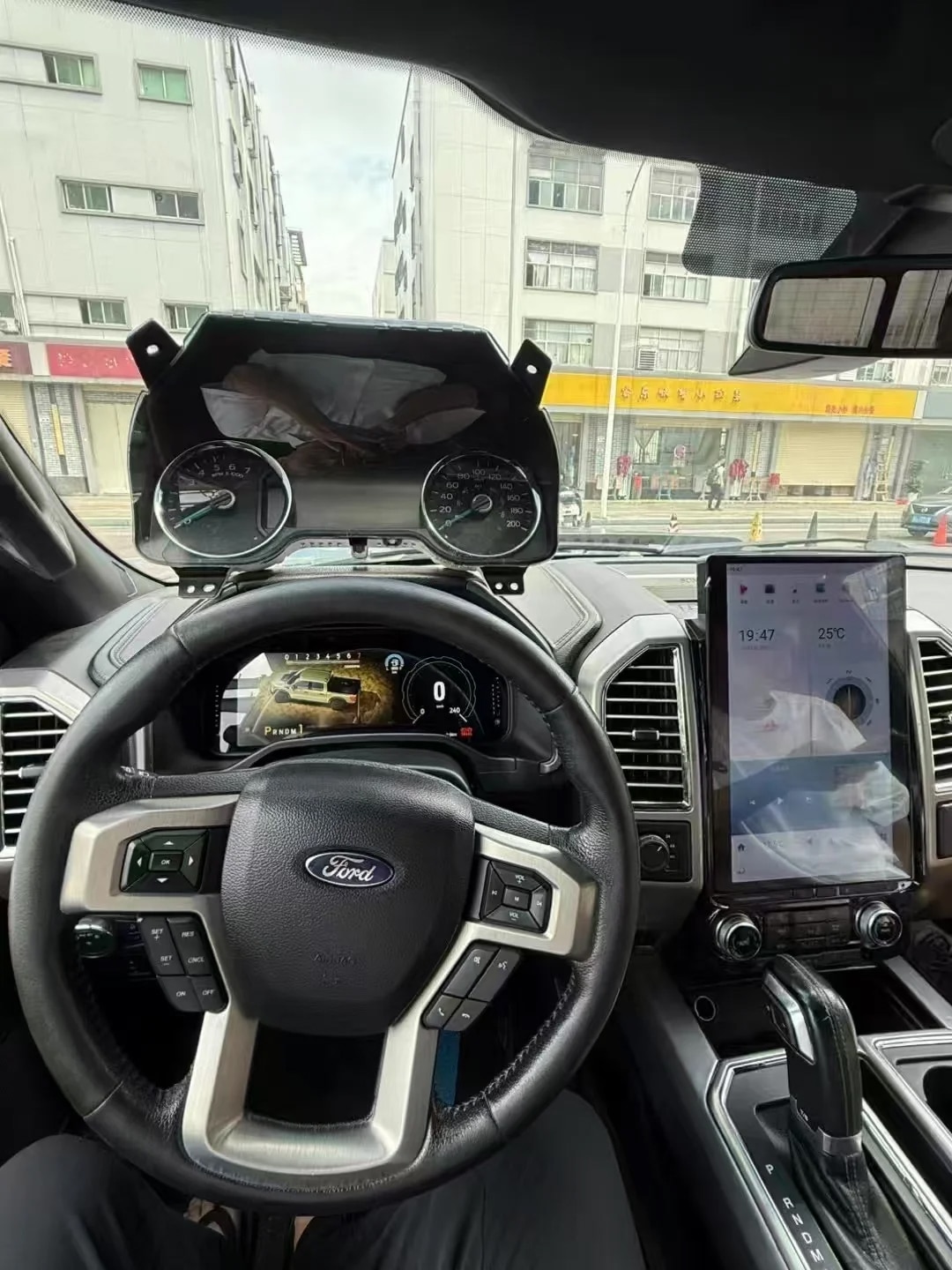
See the upgrade where you notice it every day
The driver display should feel integrated into the truck, not added as a random screen. iKAGOO still checks the year, dashboard layout and original cluster route before shipment instead of relying only on the cabin appearance.
Understand the 12.3-inch cluster body before ordering
The product form matters because a cluster upgrade has to match the dashboard opening, mounting route and vehicle electronics. iKAGOO prepares the order around the submitted vehicle information before the parcel leaves.
The rear side matters as much as the display
A clean screen is only useful when the connector route and vehicle version are prepared correctly. That is why iKAGOO checks the truck year, original cluster style, steering position and connector information before final preparation.
Bring supported map information closer to sightline
With a compatible host or main unit, supported map and CarPlay-related information can be synchronized toward the driver display after correct connection and setup. iKAGOO checks your system route before this function is treated as part of the order plan.
More than repairing an old display
A repair route may restore the old look. This upgrade is for owners who want the driver area to feel newer while keeping useful vehicle information part of the plan where supported.
Fast startup matters in daily driving
A digital instrument cluster is not a decoration you look at once. It is part of every start, every short trip and every warning check, so display response and proper setup matter after installation.
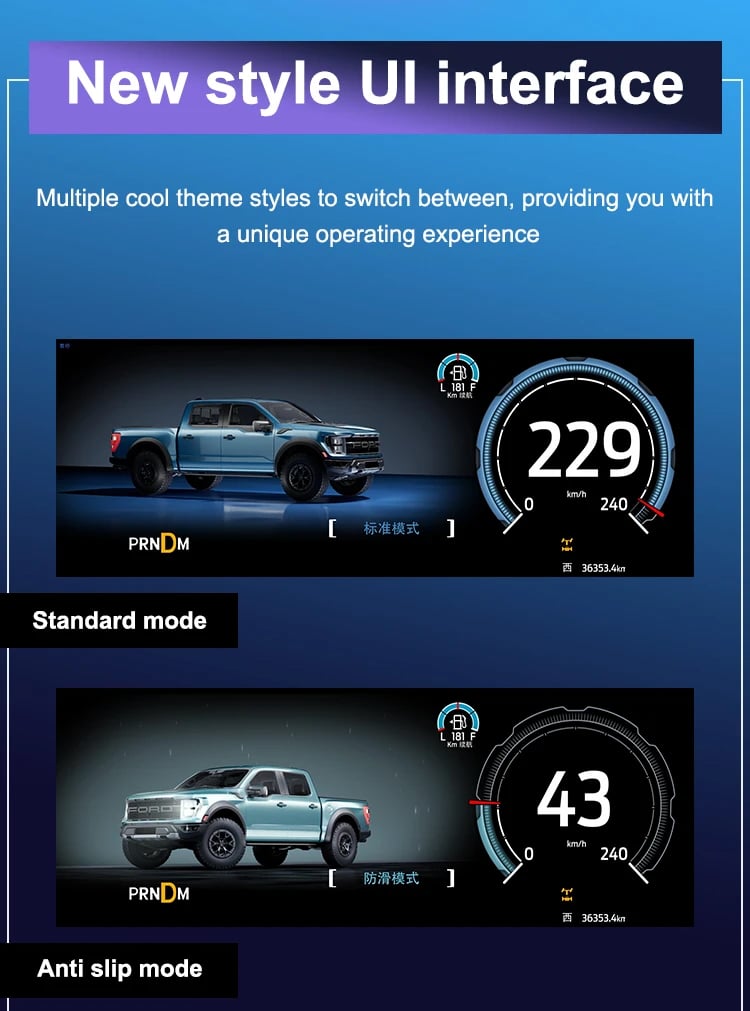
Choose a display style that fits the truck
Multiple UI styles help the F-150 / Raptor cabin feel more current without changing the whole dashboard. The practical value still depends on vehicle-specific matching and correct setup.
Keep useful controls in the driver routine
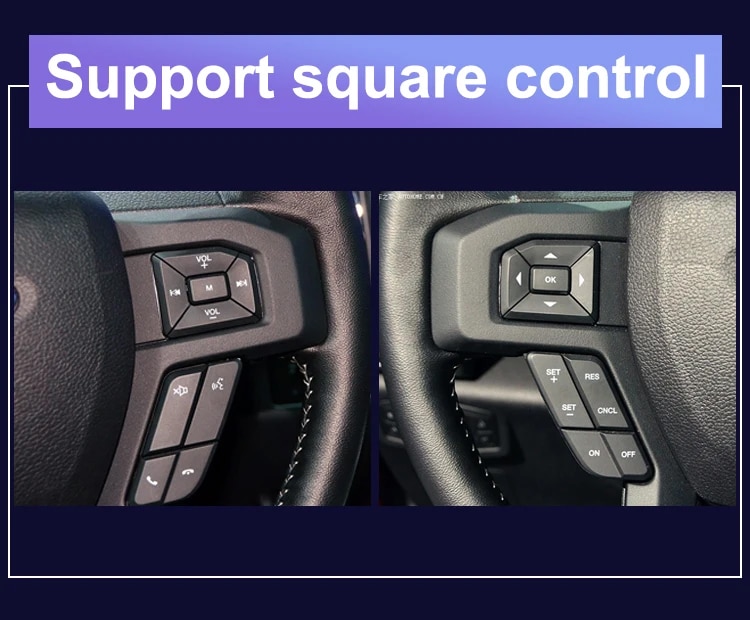
Supported steering-wheel controls help the upgrade remain convenient after installation. iKAGOO checks the vehicle version and CANBUS route so control retention is planned before shipment.
F150 Digital Instrument Cluster for a Cleaner, Newer Driver Display
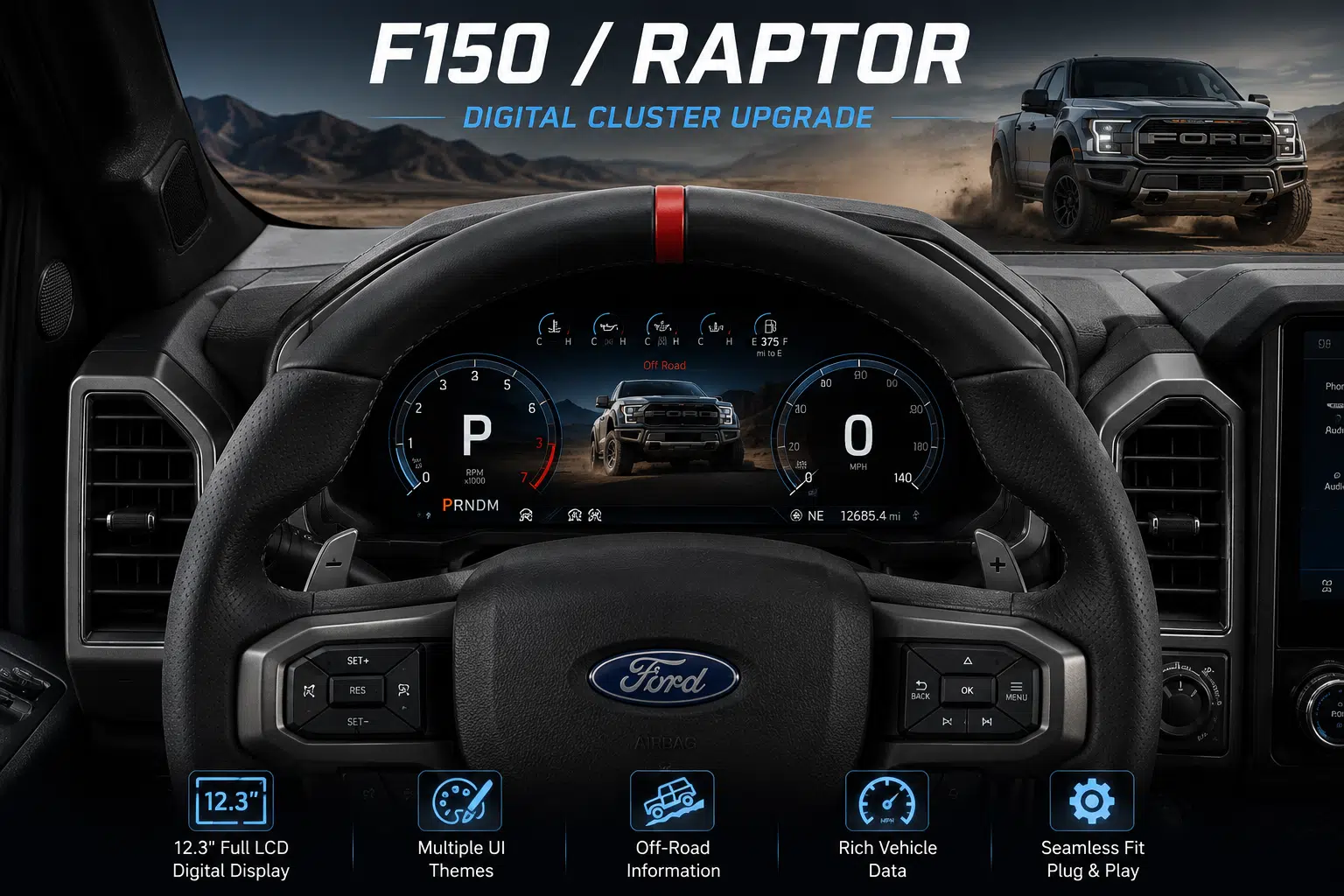
This 12.3-inch digital instrument cluster upgrades the part of your Ford F-150 or Raptor you see every time you drive. It is prepared by iKAGOO around vehicle-specific fitment, plug-and-play wiring, CANBUS matching and supported factory information retention.
Choose this route if you want more than a basic repair or a used OEM cluster. The goal is a modern driver display, useful vehicle information and a cleaner cockpit without treating your truck like a one-size-fits-all project.
12,3-дюймовый ЖК-дисплей
Wider driver information view for the F-150 / Raptor dashboard.
Plug and Play Basis
Matched wiring route after vehicle version confirmation.
Version Checked
iKAGOO reviews vehicle details before final preparation.
Driver Data Route
Supported vehicle information stays part of the upgrade plan.
Is This the Right Upgrade for Your Truck?
The F150 Digital Instrument Cluster is a 12.3-inch LCD driver display upgrade for 2015–2020 Ford F-150 and Raptor trucks. It modernizes the instrument area while keeping supported vehicle data, steering-wheel control and selected warning information useful after correct connection.
With a compatible host or main unit, supported map and CarPlay-related information can also be synchronized toward the cluster display after setup. iKAGOO prepares the order according to your model year, dashboard layout, original cluster style, connector route and regional vehicle details.
Confirm the Right Version Before You Order
This product is not approved by badge name alone. The correct route depends on the truck year, original cluster style, dashboard structure, connector condition, steering position and any previous aftermarket wiring.
Ford F-150 / Raptor route
The page is focused on 2015–2020 Ford F-150 and Raptor trucks. Raptor orders should still be checked by model year, dashboard photo and original cluster type before shipment.
Send vehicle photos
Send your model year, region, LHD/RHD information, dashboard photo, current cluster photo and connector photo if available. This reduces wrong-version, wrong-harness and CANBUS mismatch problems.
Plug and Play is matched
Plug and Play means the supported route is prepared around the correct vehicle version. It does not mean every trim, connector or modified truck should be installed without checking.
What You Actually Gain in Daily Driving
The main value is not just having a screen. It is a cleaner driver display, more current cockpit feel and useful information closer to the driver.
Modern 12.3-inch driver display
The larger LCD makes the cockpit feel newer and easier to read without replacing the whole dashboard or treating the truck like a universal screen project.
Vehicle data stays central
Supported mileage, TPMS, fuel-related information, range, maintenance data and selected warning prompts remain part of the driver display plan.
Supported map information closer to sightline
When the host or main unit route is compatible, supported map and CarPlay-related information can synchronize toward the driver display after correct setup.
Cleaner route than a low-price cluster
The purchase value comes from vehicle-matched preparation, function planning and support after payment, not only from a low advertised screen price.
Factory Functions Designed to Stay Useful
This F150 Digital Instrument Cluster is prepared around supported driver information retention after the correct vehicle version, original cluster style, connector type and CANBUS route are checked.
Управление на рулевом колесе
Supported steering-wheel buttons continue to work after correct installation and setup, helping the driver keep normal control habits.
Информация о транспортном средстве
Supported mileage, tire pressure, fuel-related information, range, maintenance reminders and selected warnings stay visible in the digital display route.
Warning and maintenance prompts
Warning icons and maintenance information are important because this is a driver tool, not only a visual upgrade. Final behavior depends on the confirmed vehicle version.
CANBUS-matched interface route
iKAGOO prepares the cluster, harness and interface route according to the submitted vehicle information before shipment.
More Display Functions to Check Before Purchase
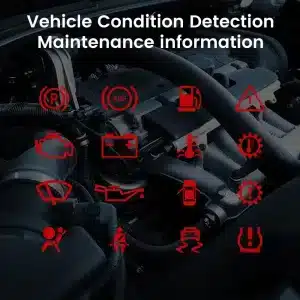
These views show why the cluster should stay practical after the visual upgrade: maintenance information, vehicle data, warning icons and display style choices all affect the daily experience.
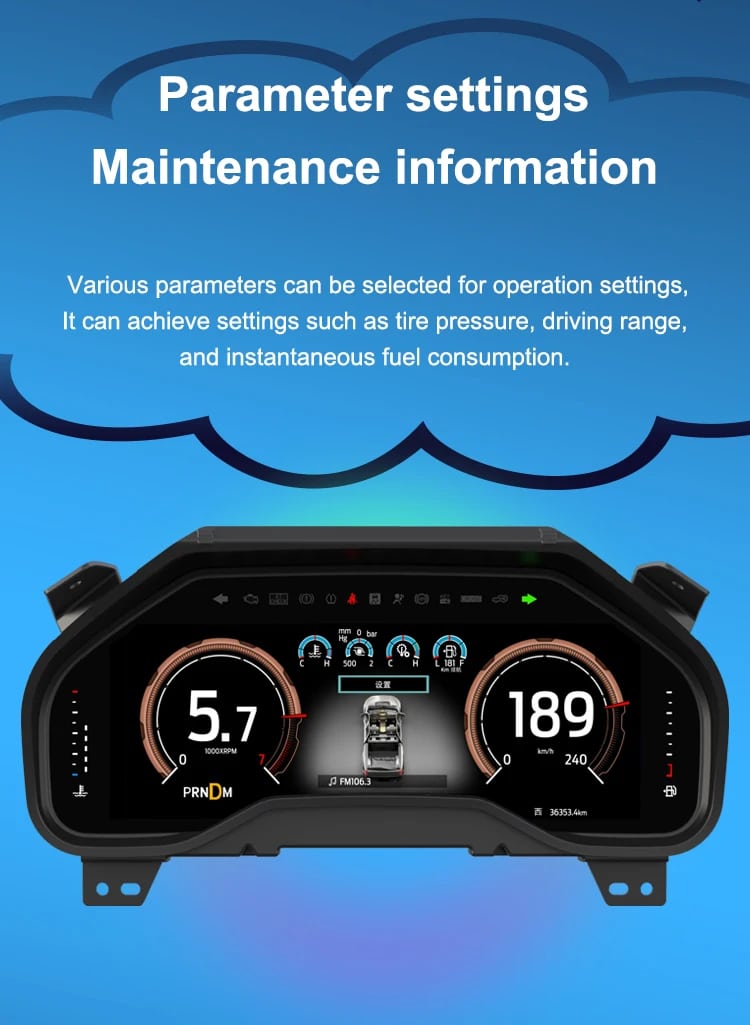
Useful information should remain easy to read
Tire pressure, range and fuel-related data are the details owners check in normal driving. iKAGOO plans the supported display route around the confirmed truck version.
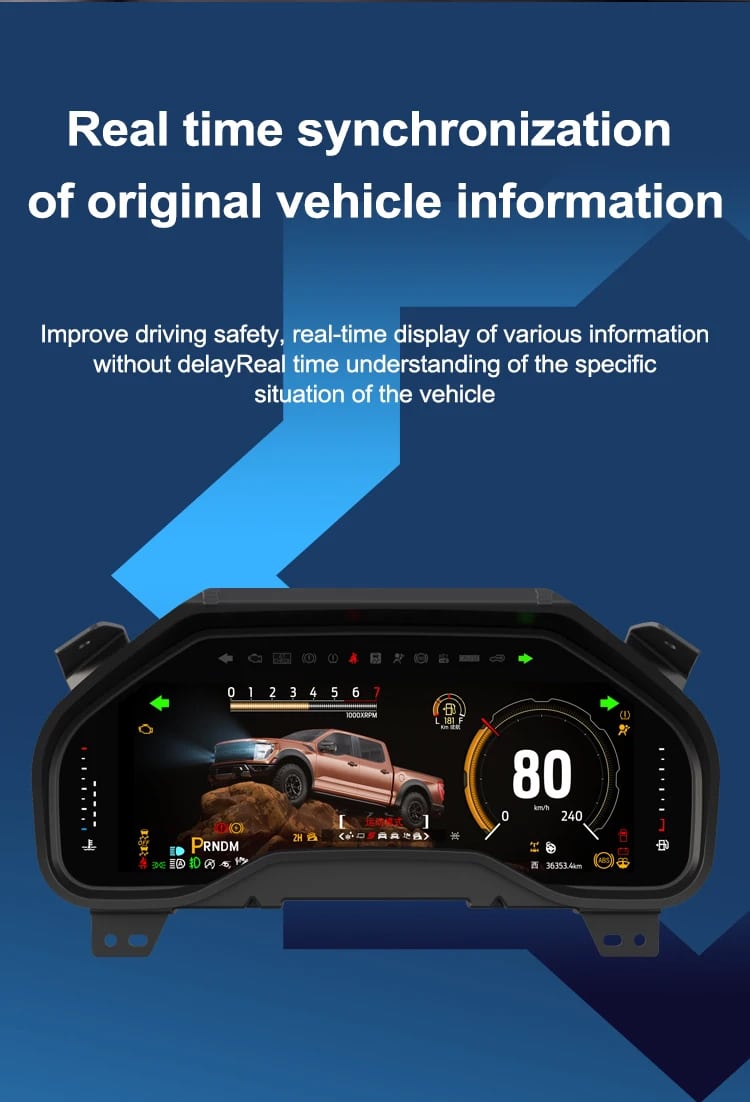
Real-time vehicle information keeps the screen practical
A modern display still needs to behave like a driver instrument. Supported original vehicle information helps the cluster remain useful beyond the first visual impression.
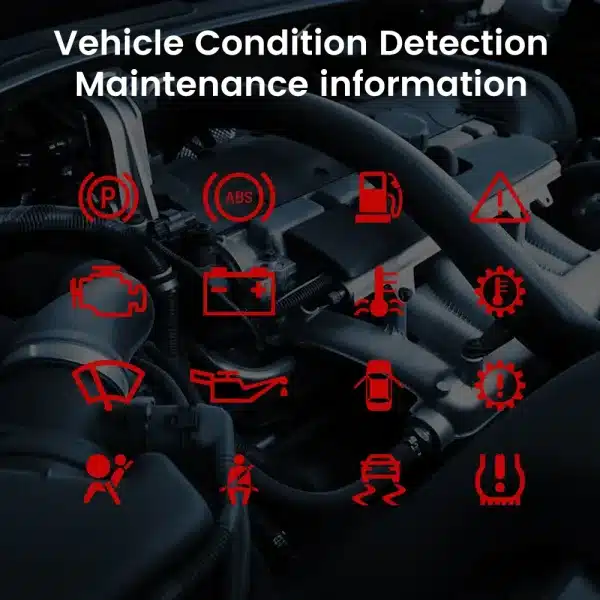
Status icons still matter after the upgrade
Warning and condition icons are part of the reason the cluster must be matched correctly. Do not treat the product as only a display panel.
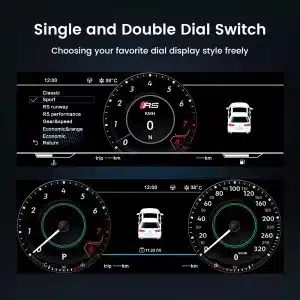
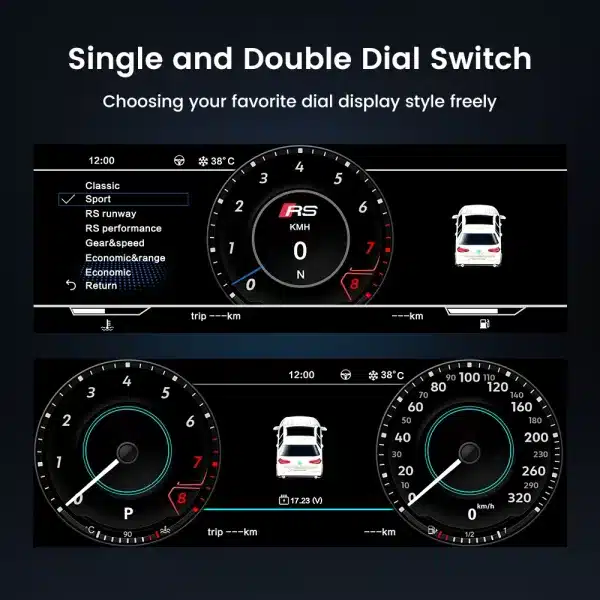
Choose a layout that suits your driving style
Single and double dial views help the driver choose a clearer display style while keeping key information readable.
Configuration Details That Matter Before Purchase
These are the details a buyer should understand before ordering. The values below describe the current product route, while final preparation still depends on the vehicle information submitted.
Тип продукта
12.3-inch digital instrument cluster
This is a driver-display upgrade, not a standard Android head unit. Judge it by cluster fitment, driver information and vehicle-data support.
Primary vehicle scope
Ford F-150 / Raptor 2015–2020 route
Final preparation depends on model year, region, original cluster style, dashboard configuration, LHD/RHD information and connector route.
Display and resolution
12.3-inch LCD · 1920 × 720
The display is built for a wider driver information view. The real experience still depends on proper installation and supported vehicle-data integration.
System route
Linux RT-OS style route
The focus is fast startup, stable display response and practical daily driver information, not Android entertainment functions.
Vehicle data plan
CAN-based supported data display
Supported mileage, TPMS, fuel-related data, maintenance information and selected warnings are planned through the correct CANBUS route.
Map display route
Supported with compatible host or main unit
Map and CarPlay-related information can synchronize when the connected system route supports it. Confirm your setup before assuming map behavior.
Connection route
Plug and Play after version match
Normal supported installation is designed around matched wiring. Stop and contact iKAGOO if a connector does not match.
Package reference
3 kg · 45 × 35 × 25 cm
The current page lists this package weight and dimension reference. Included accessories may depend on the confirmed vehicle route and order preparation.
Why Buy from iKAGOO?
The expensive problem with a digital cluster purchase is usually not the screen itself. It is the wrong version, wrong wiring route, incomplete CANBUS preparation or unclear support after the truck is opened.
Correct version prepared before shipment
A visually similar cluster can still mismatch if the vehicle year, original cluster style, dashboard layout or connector route is different.
Wiring and CANBUS prepared before the parcel leaves
The connection route decides whether the cluster can behave like a driver instrument after delivery.
Factory functions stay part of the plan
A digital cluster should not only look modern. It should keep supported driver information useful after the upgrade.
Support continues after payment
A vehicle-specific order should continue through version review, preparation, shipment, installation questions and function testing support.
Что происходит после оформления заказа?
A vehicle-specific cluster order should not stop at payment. The better route is version review, preparation, shipment, installation guidance and function testing support.
Order received
iKAGOO receives the order and checks the selected product against the vehicle information provided.
Обзор информации об автомобиле
Model, year, region, steering position, original cluster and dashboard layout are reviewed before preparation.
Version confirmation
iKAGOO checks the correct cluster route according to the supported F-150 / Raptor configuration.
Photo check
Dashboard, original cluster and connector photos may be requested to reduce wrong-fit problems.
Harness and CANBUS matching
The wiring route, interface preparation and CANBUS path are matched to the confirmed vehicle details.
Pre-shipment preparation
The order is prepared according to the selected product and confirmed vehicle version before dispatch.
Packing and shipment
The product is packed for international delivery and shipped with tracking when dispatched.
Инструкция по установке
iKAGOO can provide connection guidance based on order details and actual vehicle photos.
Function testing support
Power-on, display response, steering-wheel controls, TPMS, warning prompts and map-related sync should be checked before final reassembly.
Engineer support when needed
Software, firmware, wiring and accessory issues can be reviewed with order number, photos and clear issue videos.
Hardware incompatibility route
If confirmed hardware incompatibility happens, follow iKAGOO support steps and the published refund boundary before taking return action.
Continued support
After successful installation, iKAGOO can still help with suitable setup and diagnostic questions related to the order.
Choose the Route That Actually Improves the Driver Display
A F150 Digital Instrument Cluster is the better route when you want a real driver-display upgrade, not only a repaired old unit or a low-price screen with unclear vehicle matching.
iKAGOO vehicle-matched digital cluster upgrade
What you gain: A modern 12.3-inch driver display, supported vehicle data route, steering-wheel control plan and version matching before shipment.
What you risk: Any vehicle-specific upgrade still requires correct vehicle information, careful installation and function testing.
Why it is the better route: iKAGOO prepares the cluster around your truck year, dashboard layout, original cluster style, connector route and supported function plan instead of treating screen size as the only buying factor.
Keep the old factory cluster
What you gain: No installation work and no dashboard opening.
What you risk: The cabin still feels older and the driver display does not gain a modern digital layout.
Лучше всего для: Owners who do not care about a visible cockpit upgrade.
Repair or buy a used OEM cluster
What you gain: A restoration path if the original unit has a fault.
What you risk: The display experience usually returns to the same older style and may still need matching work.
Лучше всего для: Owners who value restoration over modernization.
CarPlay-only route
What you gain: Better phone projection if the goal is only navigation and media through another system.
What you risk: It does not replace the driver cluster or make the instrument area feel newer.
Лучше всего для: Owners who only want phone projection, not a driver-display upgrade.
Generic low-price digital cluster
What you gain: Lower visible purchase price.
What you risk: Wrong harness, unclear CANBUS route, limited function planning or weaker support after delivery.
Лучше всего для: Experienced installers who already know the exact route and can solve fitment issues themselves.
Install, Connect and Test the Right Way
This is iKAGOO Installation Ease Level 3. It is suitable for experienced DIY installers or automotive electronics installers who can remove trim carefully, inspect connectors and test functions before reassembly.
Normal installation route
Remove the original cluster area carefully, connect the matched harness, place any required interface module correctly and protect the dashboard trim during reassembly.
No wire cutting for normal installation
The supported route is designed around plug-and-play wiring. No drilling, welding or intentional cutting of the supported factory wiring is expected for normal installation.
Test before final reassembly
Check power-on behavior, display response, steering-wheel controls, vehicle data, warning prompts, TPMS information, map / CarPlay-related synchronization and sleep behavior before closing the trim.
Stop if anything does not match
Stop installation and contact iKAGOO if connectors do not match, pins are bent, wiring differs from the supplied route, abnormal heat or smell appears, fuses repeatedly fail, or cutting the main factory harness seems necessary.
Support After Payment, Not Just Before It
iKAGOO support is tied to the order, vehicle information and installation details. Keep your order number, photos and videos ready when asking for technical support.
Processing and shipment
Most in-stock orders are processed within 1–3 business days after payment and required vehicle information are received. International delivery depends on destination and carrier route.
12-month гарантия на оборудование
Eligible iKAGOO automotive electronics include 12-month limited hardware coverage for suitable manufacturing defects and eligible hardware failures.
Return and compatibility boundary
If confirmed hardware incompatibility happens, follow the iKAGOO support and refund boundary. Do not ship a return before receiving approved instructions.
Useful iKAGOO Pages Before Ordering
Review reliability, compatibility, installation, warranty coverage and return policy before purchase. These pages help you understand the support route before the truck is opened.
Часто задаваемые вопросы
These answers focus on buying, fitment and installation questions for this F150 Digital Instrument Cluster.
Will this F150 Digital Instrument Cluster fit my 2015–2020 Ford F-150?
Usually, yes. This product is intended for 2015–2020 Ford F-150 and Raptor trucks, but final preparation depends on your original cluster style, dashboard layout, connector route and any previous retrofit work.
Does it fit a Ford Raptor?
Usually, yes. The product route includes Raptor support for the 2015–2020 range, but Raptor orders should still be checked by model year, dashboard photo and original cluster type before shipment.
Can I use it for a Ford Lobo?
It depends on your vehicle version. Ford Lobo is a regional market name, so iKAGOO checks generation, year, dashboard architecture and connector configuration instead of approving only by badge name.
Это Android-магнитола?
No. This product is a digital instrument cluster for the driver display area. It can work with a compatible host or main unit for supported map and CarPlay-related information synchronization, but it should not be treated as a center Android head unit.
Does the cluster support CarPlay map information?
Yes, where the host or main unit route is compatible. Supported map and CarPlay-related information can synchronize to the cluster display after correct connection and configuration.
Will my steering-wheel controls still work?
Usually, yes. Supported steering-wheel controls are designed to continue working after correct installation and setup, which helps keep the truck convenient to use.
Does it keep mileage, TPMS and fuel-related information?
Usually, yes, where supported by the vehicle configuration. The cluster route supports key information such as mileage, TPMS, fuel-related data, maintenance information and selected warnings.
Is it Plug and Play?
Yes, after the correct version is prepared. It uses a matched plug-and-play wiring route for normal supported installation, but Plug and Play does not mean no dashboard removal, no setup and no testing.
Do I need a professional installer?
It depends on your experience. This is iKAGOO Installation Ease Level 3, which fits experienced DIY installers or automotive electronics installers. Use professional help if you are not comfortable removing dashboard trim and testing connectors.
What should I send before shipment?
Send your vehicle model, year, region, LHD/RHD situation, dashboard photo, original cluster photo, connector photo if available and any information about previous aftermarket wiring.
Does it require wire cutting?
No, not for normal supported installation. The route is designed around a matched plug-and-play harness. Stop installation and contact iKAGOO if a connector does not match or cutting the main factory harness seems necessary.
Why not buy the cheapest digital cluster?
Because the expensive mistake is usually not the screen price. It is the wrong version, wrong harness, unclear CANBUS matching, missing function retention or limited after-sales support. iKAGOO focuses on version matching before shipment.
Does this also fit a Ford F-250?
It depends on your exact vehicle. This page is written for the Ford F-150 / Raptor route, so F-250 buyers should send model year, dashboard photo, original cluster photo and connector information before treating it as the correct product.
Make Your F-150 / Raptor Feel Modern Again
Choose this F150 Digital Instrument Cluster if you want a 12.3-inch LCD driver display, supported vehicle data, steering-wheel control support, multiple UI themes and map / CarPlay-related information synchronization from a compatible host.
Before ordering, confirm your vehicle year, dashboard layout, original cluster style and connector route so iKAGOO can prepare the correct version.


Michael Turner -
The 12.3-inch display makes my F-150 dashboard look much newer without making the interior feel overly modified. The screen is clear and the main driving information is easy to read. Installation still requires patience and careful handling of the original components, so I would not describe it as a five-minute job. Once installed correctly, the result looks much closer to an OEM-style upgrade than a universal aftermarket screen.
Driving information is easily accessible.
It will take some time and patience.
Nicolas Laurent -
L’écran numérique change vraiment l’apparence du tableau de bord. Les informations sont faciles à lire et le design reste cohérent avec l’intérieur du véhicule. L’installation demande un peu de temps, surtout pour démonter et remonter les éléments proprement, mais le résultat final est bien intégré. C’est une bonne solution pour moderniser un F-150 sans donner l’impression d’avoir ajouté un écran universel.
Limpia, ordenada y cómoda.
La instalación lleva tiempo.