


Clearer Driving Data
Speed, RPM, gear position, fuel range, oil information, water temperature, TPMS and supported warnings are easier to read than on the original analog layout.

| Вес | 4.5 кг |
|---|---|
| Габариты | 45 × 35 × 25 см |
| Автомобиль поддержки | 2009-2012, 2013-2014 |
| Совместимость продуктов | Подключи и работай |
| Происхождение продукта | Не является подлинным оригинальным товаром |



От: $1,380.00

Мы берем на себя уплату НДС и импортных пошлин для соответствующих заказов из стран ЕС и США. Ориентировочная экономия: $120-$280 .
Стоимость доставки оплачивается отдельно. Точная стоимость доставки рассчитывается в зависимости от пункта назначения и отображается в корзине перед оформлением заказа.
Окончательная стоимость доставки подтверждается по вашему адресу доставки при оформлении заказа.
Проверка совместимости, полная защита совместимости, 12-месячная гарантия на оборудование и постоянная поддержка после установки.
 Гарантия полного возврата средств
Гарантия совместимости
Подтвердилось, что изделие не подходит для вашего автомобиля? Вы получите полный возврат средств.
→
Гарантия полного возврата средств
Гарантия совместимости
Подтвердилось, что изделие не подходит для вашего автомобиля? Вы получите полный возврат средств.
→
 12-Month Гарантия на оборудование
Гарантия на оборудование действует в течение первых 12 месяцев.
→
Долгосрочная послепродажная поддержка
Сопровождение программного обеспечения, поддержка по запчастям и координация ремонта остаются привязанными к вашему первоначальному заказу.
→
12-Month Гарантия на оборудование
Гарантия на оборудование действует в течение первых 12 месяцев.
→
Долгосрочная послепродажная поддержка
Сопровождение программного обеспечения, поддержка по запчастям и координация ремонта остаются привязанными к вашему первоначальному заказу.
→
Наша цель — правильно подготовить ваш заказ до того, как он покинет нас. Мы проверяем совместимость, готовим правильную конфигурацию и связываемся с вами только в том случае, если что-то требует подтверждения.
2009–2014 F-150 · 2010–2014 SVT Raptor
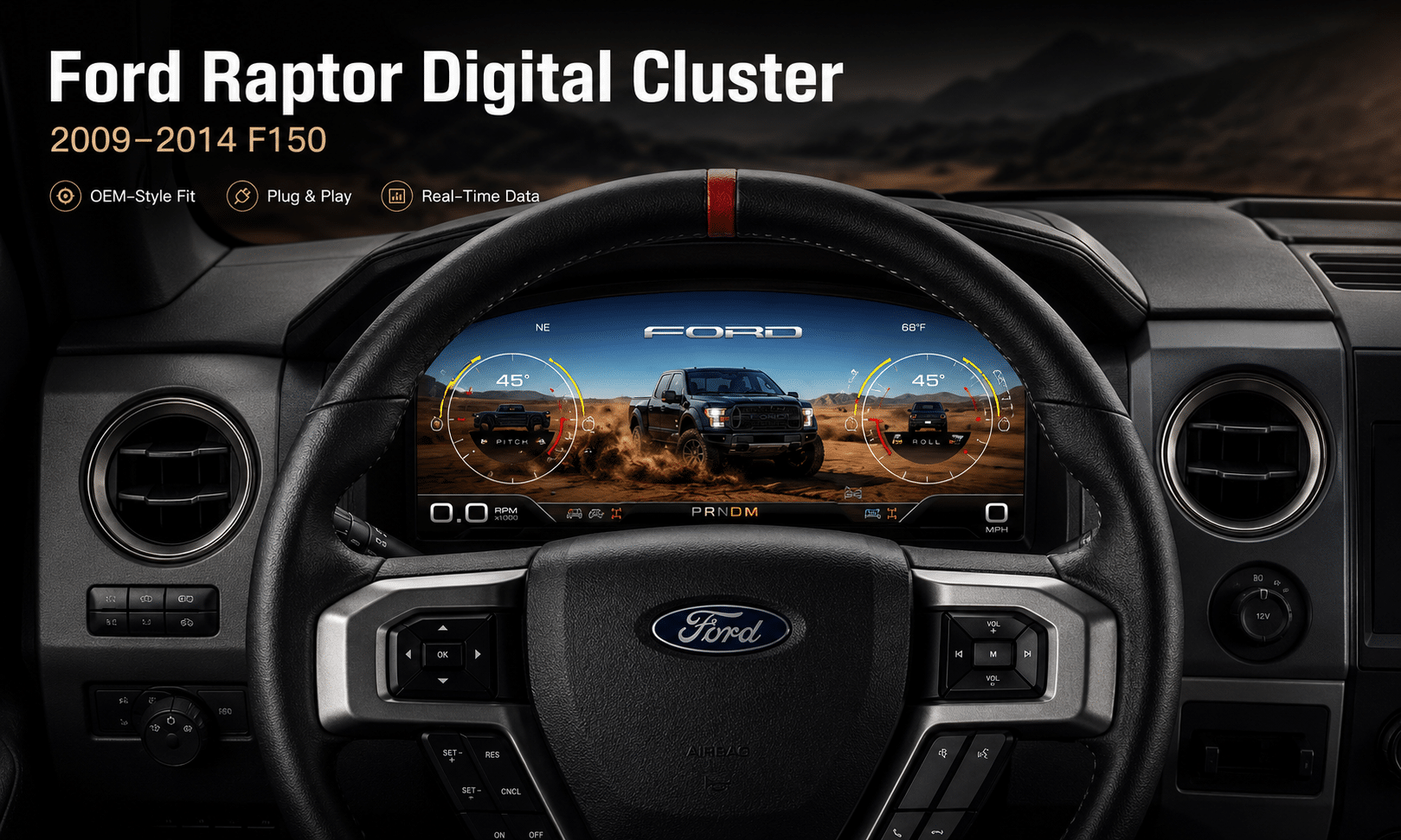
Это Цифровая приборная панель Ford F150 2009-2014 upgrades the original analog gauge area into a 13.1-inch Linux virtual cockpit. It keeps important original vehicle information visible, adds multiple Raptor-style UI themes, supports factory steering-wheel controls and gives the driver a much more modern instrument layout.
iKAGOO prepares the correct Ford F150 Raptor Digital Cluster 2009–2012 or 2013–2014 version, matched connection solution and installation guidance from your vehicle information.
Улучшение повседневного использования
The strongest value is not only the screen size. The upgrade changes how you read speed, RPM, tire pressure, oil information, fuel data, warnings and off-road status during normal driving.
Speed, RPM, gear position, fuel range, oil information, water temperature, TPMS and supported warnings are easier to read than on the original analog layout.
The wider digital layout brings supported fuel, temperature, tire-pressure, warning and drivetrain information into a clearer driver-focused display.
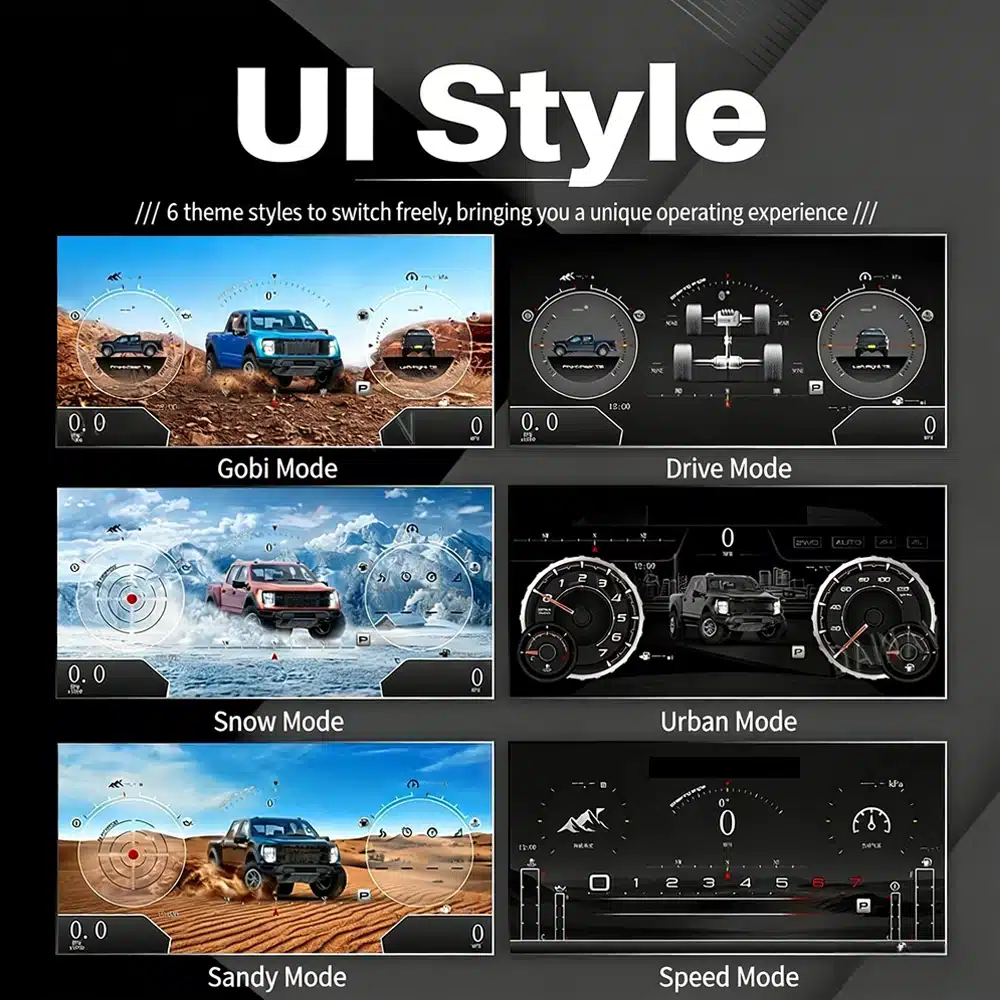
The interface includes multiple visual themes for city driving, speed-focused driving, snow, sand, desert and drivetrain-focused views, making the upgrade feel closer to a modern Raptor cockpit.
Сохранение заводских функций
With the correct year version, retained original instrument electronics and proper installation, the cluster continues to present the important driving information your F-150 supplies.
Prepared for Your Truck
We separate the Ford F150 Raptor Digital Cluster 2009–2012 and 2013–2014 dashboard versions instead of treating every 12th-generation F-150 as identical.
We confirm your model year, original cluster layout, steering-wheel controls and required instrument configuration before preparing the correct version.
The installation path retains the required original instrument electronics so vehicle-specific data is not treated like a generic replacement cluster.
We help you check speed, RPM, gear, warnings, TPMS, steering controls, units and sleep behavior before final reassembly.
The matched installation is designed to connect without intentionally cutting the supported factory main wiring.
You receive installation and configuration assistance plus a 12-month limited hardware warranty for eligible manufacturing defects.
Аппаратное обеспечение для конкретной модели автомобиля
The molded housing follows the original instrument opening so the finished result looks like a deliberate cockpit upgrade rather than a tablet added on top of the dashboard.

Correct Year Selection
The 2009–2012 and 2013–2014 factory layouts are not identical. Choose the matching year option and send your original cluster photo. The cluster can retain supported original vehicle data when the correct year version and retained instrument electronics are installed properly.

High-Definition UI Styles
This clear UI image replaces the low-resolution dial-switch image. The available styles include Gobi Mode, Drive Mode, Snow Mode, Urban Mode, Sandy Mode and Speed Mode, giving your F-150 or Raptor a more modern factory-style digital cockpit.
Selectable Cockpit Themes
The display can prioritize different information depending on how you use the truck: city driving, highway speed, desert driving, snow, sand, drivetrain status or daily vehicle information.

Многоязычный интерфейс
The Linux interface supports multiple languages, including English, Spanish, French, German, Russian, Portuguese, Turkish, Korean, Chinese and Arabic. Ask iKAGOO about your preferred language when placing the order.

Warnings and Maintenance
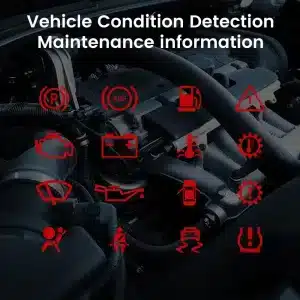
Supported warning indicators, maintenance information and vehicle-status messages remain part of the driving experience, helping you notice issues without returning to the limited original display.

Fast Linux Startup
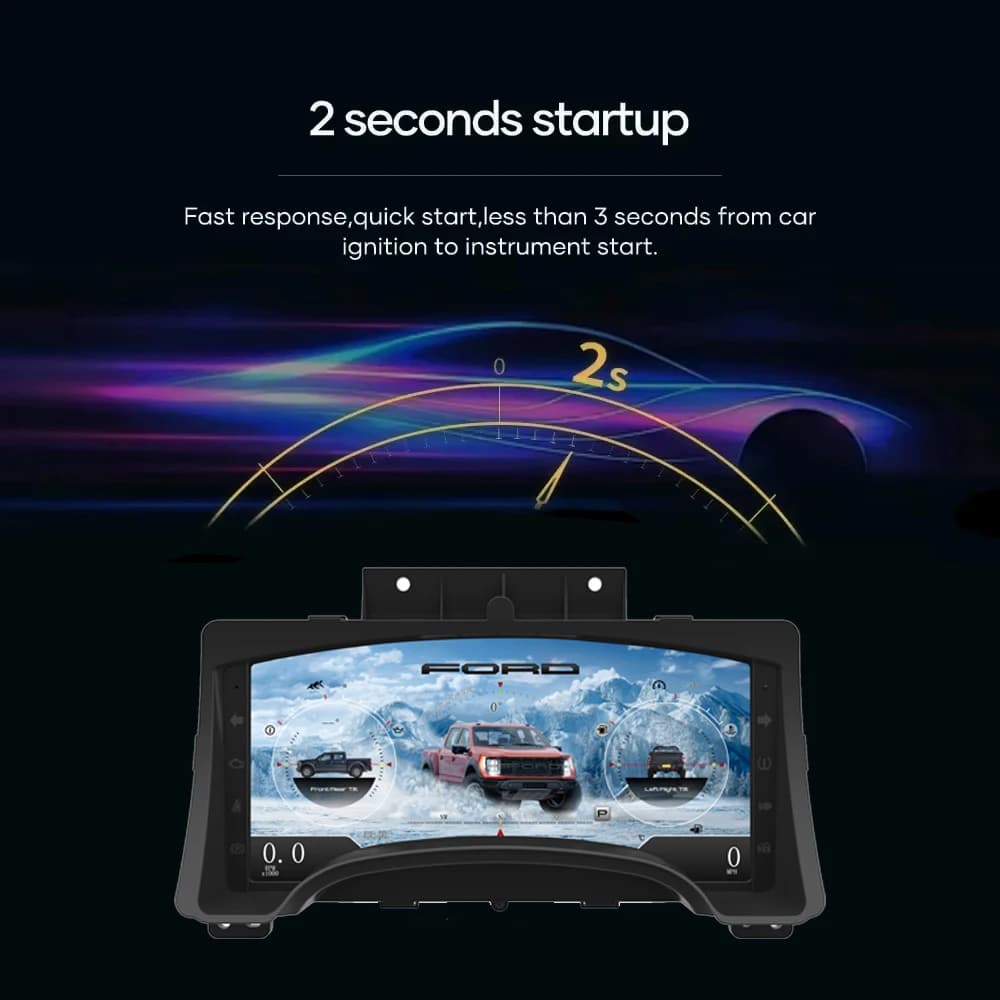
A dedicated Linux platform keeps startup focused on driving information. The specified startup time is under two seconds after ignition.
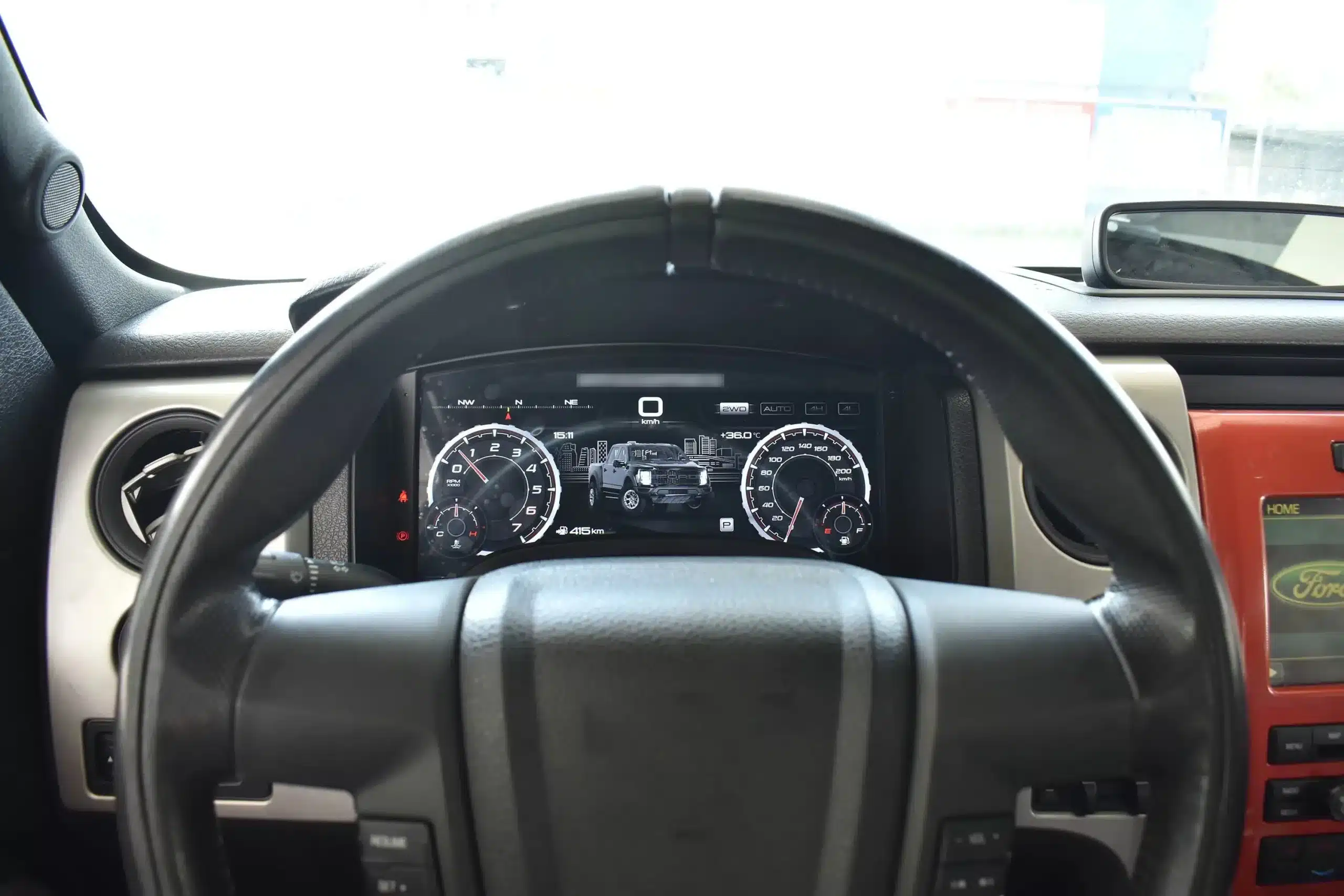
Installed Driving View
The wide screen sits behind the original steering wheel and within the existing dashboard architecture, creating a larger visual upgrade while leaving the center stack and surrounding interior intact.
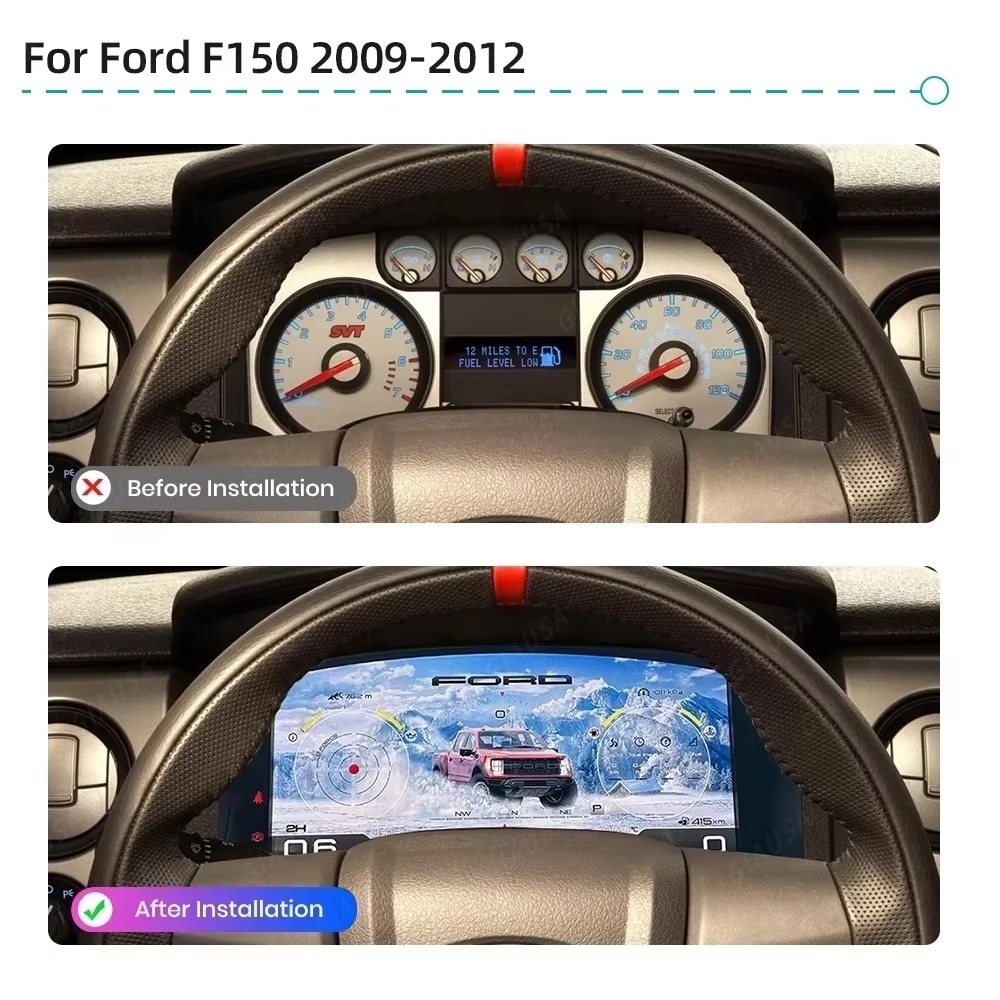
До и после
The original analog cluster provides basic information, while the digital replacement creates a wider, brighter and more configurable view directly in the driver’s normal line of sight.
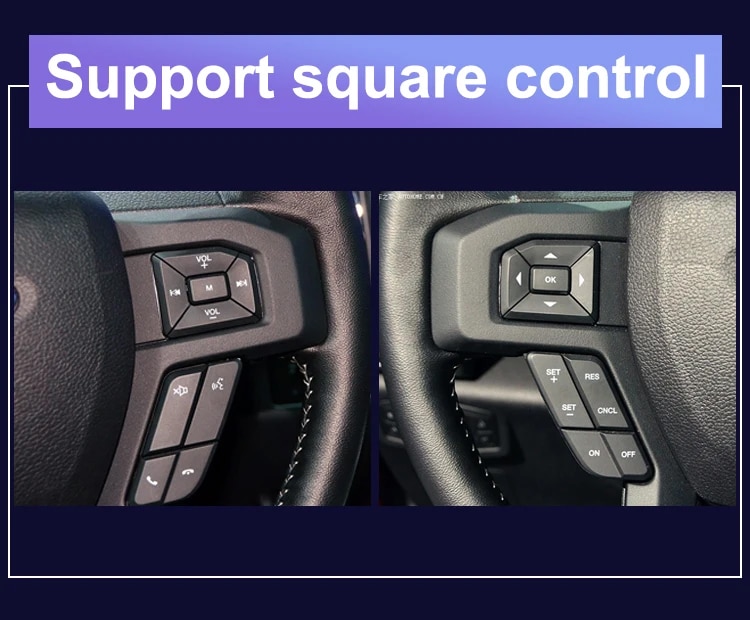
Заводские настройки
The supported factory arrow and OK controls let you move through cluster pages, settings and UI modes without adding an unrelated controller to the dashboard.
Данные об автомобиле
The screen layout can vary by year version and selected theme, but the purpose is consistent: make supported vehicle, maintenance and off-road information easier to find during daily use.
Feature Overview
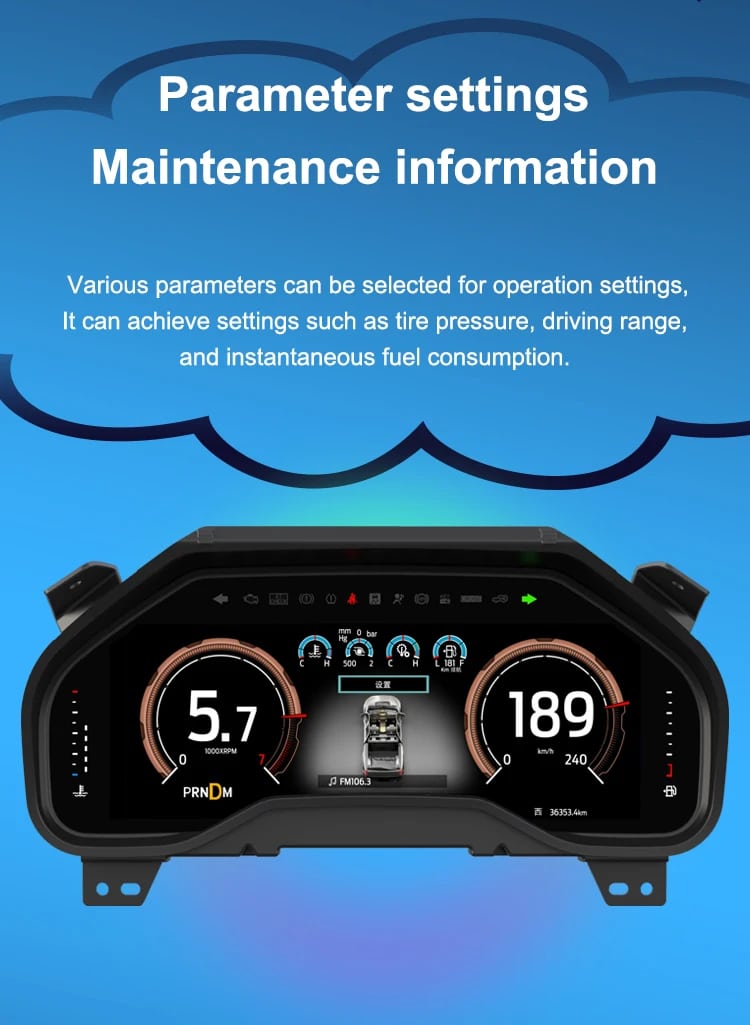
The cluster is built around Linux, selectable layouts, steering-wheel control, mileage display and supported vehicle-status information. For your order, iKAGOO prepares the 13.1-inch, 1920 × 932 configuration stated in the purchase specifications.
Vehicle and Regional Name Guide
This cluster is built around the 12th-generation F-150 dashboard architecture. The purchase area currently provides two hardware groups because the original cluster structure changes across the production run.
Select the Ford F150 Raptor Digital Cluster 2009–2012 option and provide a clear photo of the original cluster. This includes matching trucks with the earlier gauge layout.
Select the 2013–2014 option and provide the later original cluster photo so the correct physical version can be prepared.
The first-generation Raptor belongs to this F-150 generation. Match by model year and original cluster appearance; there is no 2009 model-year SVT Raptor.
Mexican-market badge names can refer to the same generation, but the dashboard, original cluster and connector configuration must match before ordering.
This product is prepared around the North American left-hand-drive dashboard shown. For an aftermarket RHD conversion, send full dashboard and steering-control photos before purchase.
Do not choose this 2009–2014 version. Use the separate 2015–2020 F-150 digital cluster page .
Технические характеристики продукта
Подготовка заказа
Provide the model year, trim, engine/fuel type and market.
Send the original cluster and a full driver-side dashboard photo.
We match the 2009–2012 or 2013–2014 hardware configuration.
Confirm the original steering-wheel controls and instrument layout before shipment.
After delivery, use the provided guidance and contact iKAGOO if the display, controls or vehicle-data behavior differs.
iKAGOO Purchase Evaluations
A score of 92/100 does not mean that 8% of factory functions are lost. The score also reflects that the new Linux interface and menu structure differ from the original Ford analog cluster.
Suitable for an experienced DIY installer or an automotive electronics installer. The level describes the work required; it does not indicate lower product quality or lower upgrade value.
Compare the Real Outcomes
Установка
This is not a simple USB accessory. Correct work requires careful trim removal, cluster removal, original-component handling, matched connection, vehicle-setting configuration and complete function testing.
Доставка и поддержка
Normally 1–3 business days before dispatch, with additional time when vehicle information or configuration needs clarification.
Typical delivery after dispatch: USA/Canada 5–9 business days, EU 7–15, UK/Australia 7–10, other supported regions 7–20.
Eligible manufacturing defects and hardware failures under normal use are covered by the current limited hardware warranty.
When iKAGOO confirmed compatibility from accurate pre-purchase information but no reasonable solution works, the current published refund policy applies.
Вопросы покупателей
Готовы к обновлению
Choose the correct year version, send the requested vehicle photos and let iKAGOO prepare the matched digital cluster configuration, UI setup and installation guidance for your truck.


Четкая информация о совместимости с автомобилем, подготовке заказа, международной доставке, гарантии, возврате и послепродажной поддержке.
Электроника для конкретного автомобиля требует правильной версии, проводки и конфигурации. Наш процесс разработан для снижения предотвратимых проблем совместимости и установки.
Информация о модели автомобиля, годе выпуска, оригинальной системе и соответствующей конфигурации может быть проверена перед покупкой, чтобы снизить риск выбора неправильной версии.
Перед отправкой заказ проверяется на соответствие подтверждённой информации об автомобиле, чтобы можно было подготовить соответствующую версию, конфигурацию и необходимые компоненты для конкретного автомобиля.
Наша цель — правильно подготовить ваш заказ до того, как он покинет нас. Мы проверяем совместимость, готовим правильную комплектацию и связываемся с вами только в том случае, если что-то ещё требует подтверждения.
Практическое резюме основных условий, применимых к заказам iKAGOO для конкретного автомобиля.
Большинство заказов iKAGOO отправляются с нашего склада в Китае после проверки конфигурации продукта и информации о транспортном средстве.
Обычная обработка заказа занимает примерно 1–3 рабочих дней. Ориентировочный срок доставки после отправки, как правило:
Таможенное оформление, праздники, погода, задержки перевозчика и доставка в отдаленные районы могут повлиять на эти оценки.
Стандартная международная доставка обычно не включает НДС страны назначения, импортные пошлины, брокерские сборы или сборы за таможенное оформление.
Для соответствующих направлений в Европейском Союзе, Может быть доступна доставка DDP. Импортные сборы включаются только в том случае, если DDP выбран при оформлении заказа или подтвержден iKAGOO в письменной форме до отправки.
Когда DDP не выбран, сборы, взимаемые местными таможенными органами или службой доставки, обычно являются обязанностью получателя.
Экспресс или ускоренная доставка может быть доступна для отдельных товаров и направлений. Наличие, перевозчик и любые дополнительные расходы подтверждаются перед отправкой.
В зависимости от маршрута и типа товара, iKAGOO может использовать DHL, FedEx, UPS, EMS, 4PX или другого отслеживаемого логистического оператора.
После отправки номер отслеживания или ссылка для отслеживания обычно отправляются на адрес электронной почты, использованный для заказа. Обновления отслеживания могут появляться в течение нескольких рабочих дней при международных пересылках перевозчиком.
Право на возврат зависит от причины возврата, состояния продукта, статуса установки, подтверждающих документов и того, был ли возврат одобрен компанией iKAGOO.
При одобренном возврате товара надлежащего качества продукт, как правило, должен оставаться неиспользованным, неустановленным, полным и пригодным для перепродажи. Покупатель, как правило, несет ответственность за одобренные расходы по обратной доставке.
Первоначальная стоимость доставки, DDP, НДС, таможенные пошлины и другие логистические расходы, как правило, не возвращаются, если это не требуется законом или иным образом не подтверждено компанией iKAGOO.
Не отправляйте товар обратно до получения одобренного адреса возврата и инструкций по возврату от iKAGOO.
Дополнительная защита может применяться, когда iKAGOO проверил совместимость с автомобилем, клиент предоставил точную информацию об автомобиле, а также разумные шаги по установке и диагностике были завершены.
Если iKAGOO подтвердит, что разумное техническое решение недоступно, и о проблеме сообщено в течение через 7 календарных дней после доставки, клиент может иметь право на возмещение стоимости товара без необходимости возврата товара.
Оригинальная доставка, DDP, НДС, таможенные пошлины и иные платежи третьих лиц не включаются в возмещение стоимости товара.
Подходящие товары включают 12-месячная ограниченная гарантия на аппаратное обеспечение покрывающую подтверждённые производственные дефекты и подлежащие гарантии аппаратные сбои при нормальном использовании.
В зависимости от подтверждённой проблемы поддержка может включать удалённую диагностику, помощь в настройке, замену деталей, ремонт, замену изделия, частичный или полный возврат денежных средств.
Осмотр или проверка третьей стороной не аннулирует автоматически всю гарантию. Однако повреждения, вызванные неавторизованным ремонтом, некорректной модификацией, нарушением цепей, неправильной сборкой, неверным подключением, ударом, попаданием воды или неправильным использованием, обычно не покрываются.
Свяжитесь с iKAGOO перед разборкой, модификацией или ремонтом изделия, чтобы можно было предоставить правильную процедуру диагностики.
Свяжитесь с iKAGOO в течение через 7 календарных дней после доставки и сохраните оригинальную упаковку, транспортную накладную, аксессуары и товар.
Пожалуйста, предоставьте четкие фотографии или видео, на которых видно:
После проверки iKAGOO может организовать отправку недостающих деталей, замену, ремонт, возврат денежных средств или другое разумное решение.
Свяжитесь с iKAGOO как можно скорее и до установки. Для изменения адреса, конфигурации автомобиля или товара свяжитесь с нами желательно в течение Через 12 часов после оформления заказа.
Обмен или возврат может быть одобрен, если ошибочно выбранный товар остаётся неиспользованным, неустановленным, комплектным и пригодным для перепродажи. Клиенты обычно несут ответственность за соответствующие расходы на доставку и разницу в цене.
Товары, привязанные к конкретному автомобилю, могут поступить на этап закупки, программирования, тестирования или конфигурации вскоре после оплаты. После начала подготовки или отгрузки отмена может быть уже невозможна, или могут быть вычтены разумные уже понесённые расходы.
Комплектация поставки зависит от продукта, модели автомобиля, заводской системы и выбранной конфигурации.
В зависимости от продукта комплект может включать основное устройство, жгуты проводов для конкретного автомобиля, интерфейс CANBUS, адаптеры, USB-кабели, антенны, микрофоны, крепёжное оборудование или другие аксессуары, необходимые для установки.
Для получения точного состава вашего заказа обратитесь к соответствующим фотографиям товара, спецификациям и подтверждению заказа.
Вы можете связаться с iKAGOO через форму обратной связи на сайте, WhatsApp или другие доступные каналы поддержки. Типичное время ответа — в течение 24 рабочих часа.
Для более быстрой технической диагностики укажите номер вашего заказа, марку и год выпуска автомобиля, соответствующие фотографии заводской системы, фотографии товара и понятное видео, демонстрирующее проблему.
Платежи обрабатываются через безопасные методы оплаты, отображаемые при оформлении заказа.
Доступные варианты оплаты картой, кошельком и в рассрочку могут различаться в зависимости от страны, валюты, платежного провайдера и соответствия клиента требованиям.
Услуги рассрочки, включая варианты, предлагаемые PayPal или другим платежным провайдером, зависят от региональной доступности и требований одобрения этого провайдера.
Этот раздел представляет собой упрощенное руководство для клиентов. Полные опубликованные страницы политик, подтверждение заказа и применимое законодательство о защите прав потребителей имеют преимущественную силу при любых расхождениях в формулировках.
Модернизируйте цифровую приборную панель вашего VW Polo 6R 2008–2016 годов выпуска с помощью ЖК-дисплея для приборной панели...
От: $1,380.00
Окончательная стоимость доставки подтверждается по вашему адресу доставки при оформлении заказа.

Выберите, что вы планируете купить. Мы покажем только детали, необходимые для этого продукта.
Мы рассмотрим детали и вышлем рекомендуемую версию продукта на ваш электронный адрес.
Мы используем необходимые файлы cookie, чтобы сайт оставался безопасным и работал корректно. С вашего согласия мы также можем использовать аналитические файлы cookie, чтобы улучшить удобство просмотра. Смотрите нашу Политика конфиденциальности.




Майкл Браун -
I installed this on my 2009 Raptor. The ‘Off-road Mode’ is absolutely amazing—seeing the real-time pitch, roll angles, and tire pressure on the 13.1-inch HD screen makes the stock analog gauges look like they’re from the Stone Age. The installation was truly plug-and-play
The installation was plug-and-play, the menu is lag-free, the visual effects are stunning, and the resolution is extremely high