Тема XStore

No products in the cart.

Menu Categories
До 22%
  • Audi Q7 Android головное устройство 2006-2015
  • 03 6
  • 10 1
  • 09 1
  • 02 5
  • 06 3

Автомобильный медиацентр Audi Q7 на базе Android, 2006–2015 гг., 10,25″, с поддержкой CarPlay

Бренд:

От: $325.00

Duty-Free Только для стран ЕС и США
Подробности
Безопасность PayPal
Услуга DDP Tax-Prepaid

Мы берем на себя все расходы по уплате НДС и пошлин. Предполагаемая экономия: $120-$280.

США (48 штатов)АвстрияБельгияБолгарияХорватияКипрЧехияДанияЭстонияФинляндияФранцияГерманияГрецияВенгрияИрландияИталияЛатвияЛитваЛюксембургМальтаНидерландыПольшаПортугалияРумынияСловакияСловенияИспанияШвеция
или

Есть вопросы?

Не стесняйтесь Свяжитесь с нами

Безопасная оплата с помощью Paypal Платите безопасно с помощью Visa Безопасная оплата с помощью Master Card Платите безопасно с помощью JCB Безопасная оплата с помощью American Express Безопасная оплата с помощью Alipay Безопасная оплата с помощью Google pay Платите безопасно с Klarna Платите безопасно с DISCOVER Безопасная оплата с помощью Apple Pay
Гарантируйте безопасную и надежную оплату заказа
Программа защиты покупателей iKAGOO

Гарантия возврата для данного товара

Проверка совместимости, безопасная оплата, отслеживаемая доставка и надежная послепродажная поддержка.

Право на возмещение, отчетные периоды и меры по урегулированию зависят от действующей политики iKAGOO и результатов рассмотрения конкретного случая.

Просмотреть политики безопасности

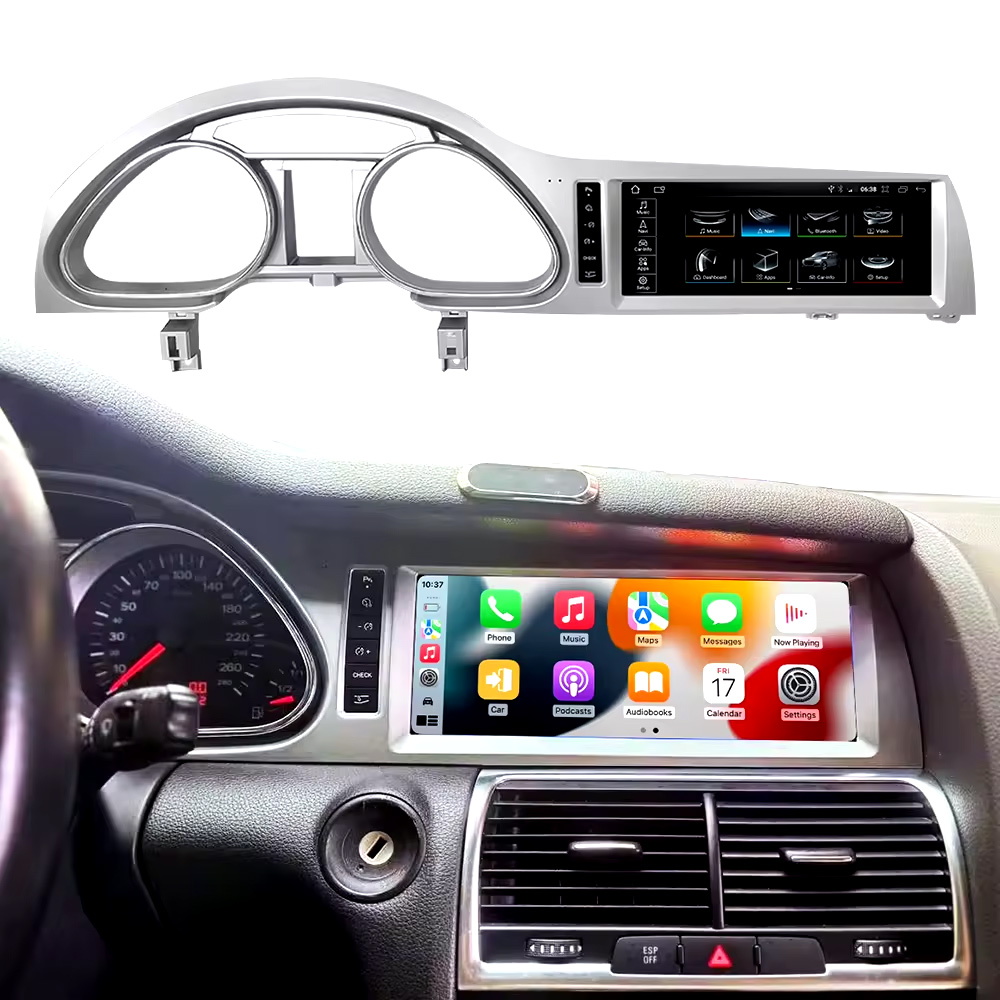
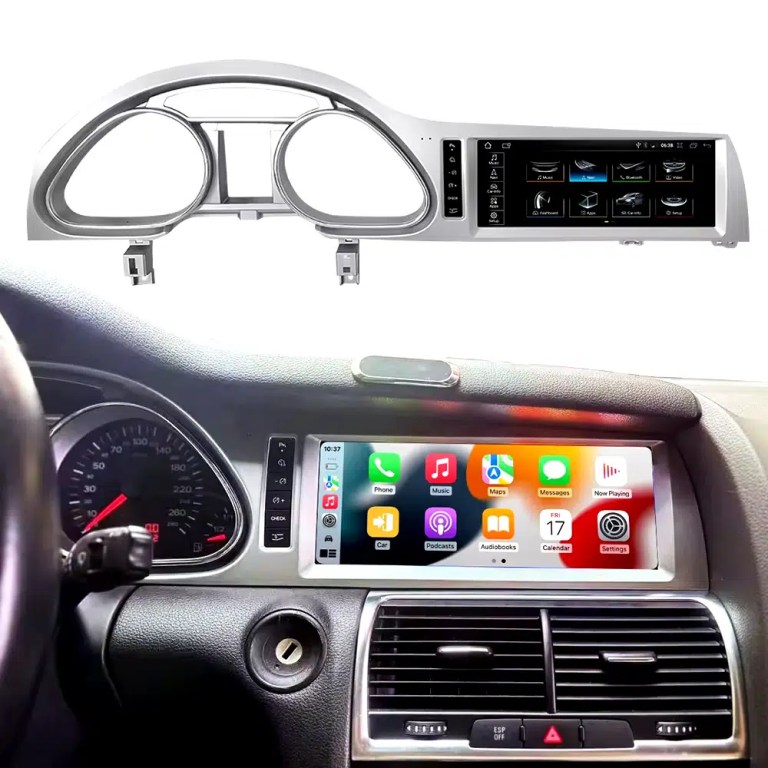
Installed Result First: Audi Q7 Android Head Unit That Still Looks Built Into the Dashboard

This is the first image buyers should see. It shows the actual Q7 cockpit result: the 10.25-inch Android screen, Audi dashboard trim, original gauge area and CarPlay-style interface working together instead of looking like a loose aftermarket tablet.

Audi Q7 Android head unit 2006 2015 installed dashboard CarPlay view

Check Dashboard, CD Panel, MMI and MOST Audio Before Ordering

The Audi Q7 Android head unit must be matched to the actual Q7 4L dashboard, not only the model year. Q7 vehicles can use different CD panels, MMI systems, Bose amplifiers, MOST fiber-optic audio routes and LHD/RHD frames.

Four Checks That Prevent the Wrong Order

  • Dashboard route: 2005–2009 and 2010–2015 Q7 layouts can differ.
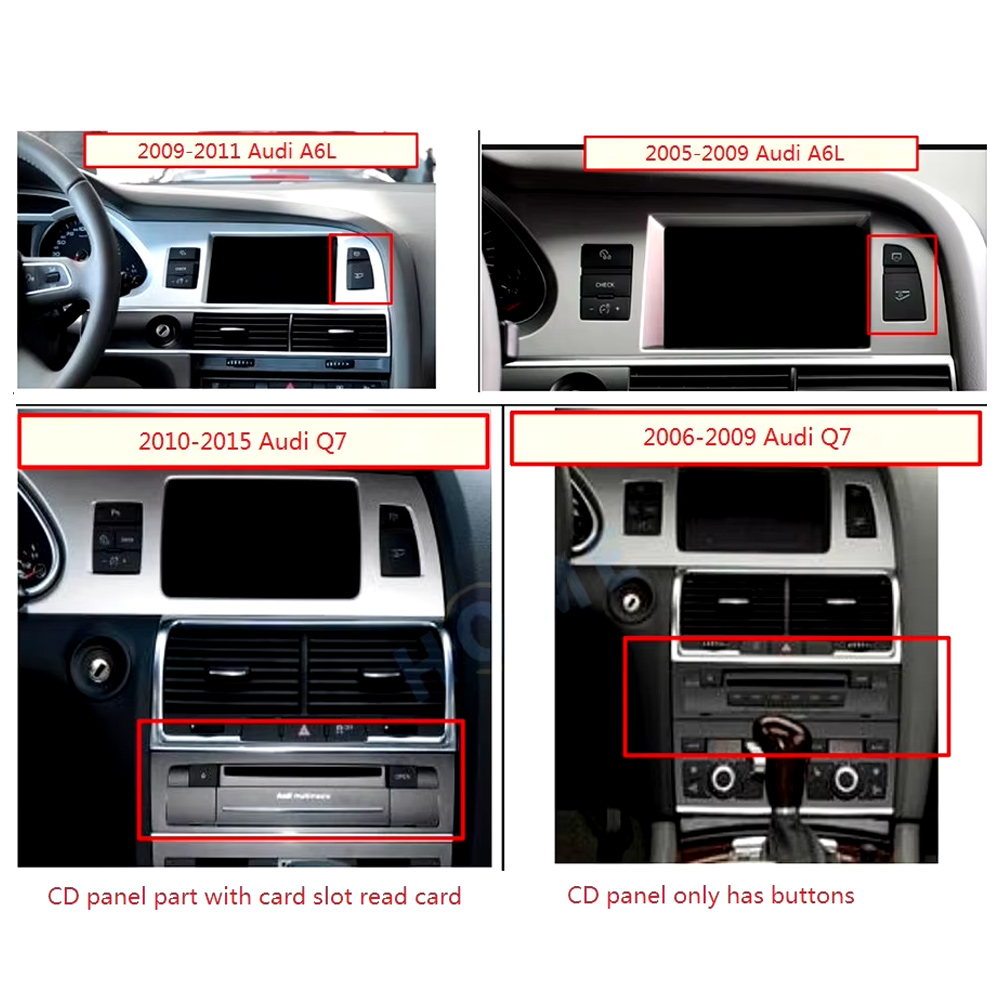
  • CD / MMI panel: check card-slot layout, button layout and original control panel.
  • Audio system: Bose, external amplifier or MOST fiber optic may require a decoder.
  • Steering side: LHD and RHD frames must be confirmed before shipment.

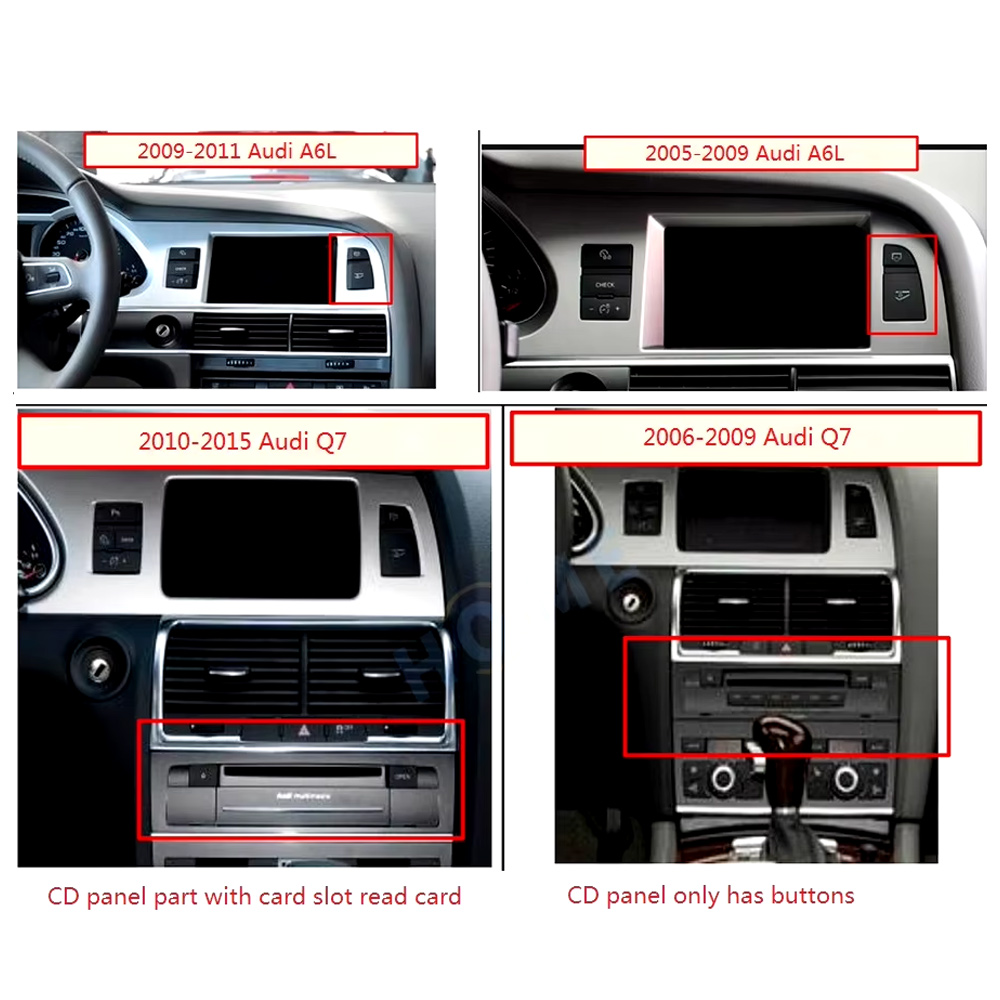
Use This Dashboard Reference Before You Buy

This image belongs near the top because it reduces wrong orders. The original dashboard and CD-panel layout decide the correct screen, frame and integration route.

Audi Q7 2005 2009 2010 2015 dashboard CD panel compatibility comparison
Audi Q7 4L · 2006–2015 · 10.25-inch Android upgrade
Audi Q7 Android Head Unit for CarPlay, Android Auto, MMI and DSP Upgrade

This iKAGOO Audi Q7 Android head unit upgrades selected Audi Q7 4L vehicles with a vehicle-specific 10.25-inch Android screen, wireless CarPlay, Android Auto, GPS navigation, WiFi / 4G, Bluetooth, DSP audio and supported original Audi system switching.

10.25-inch display Беспроводной CarPlay Android Auto DSP audio WiFi / 4G MMI check

Choose this upgrade if your original Audi Q7 screen feels outdated but you still want the interior to look factory-style. iKAGOO checks your model year, dashboard frame, MMI system, LHD/RHD position, amplifier, MOST fiber optic requirement and connector photos before shipment.

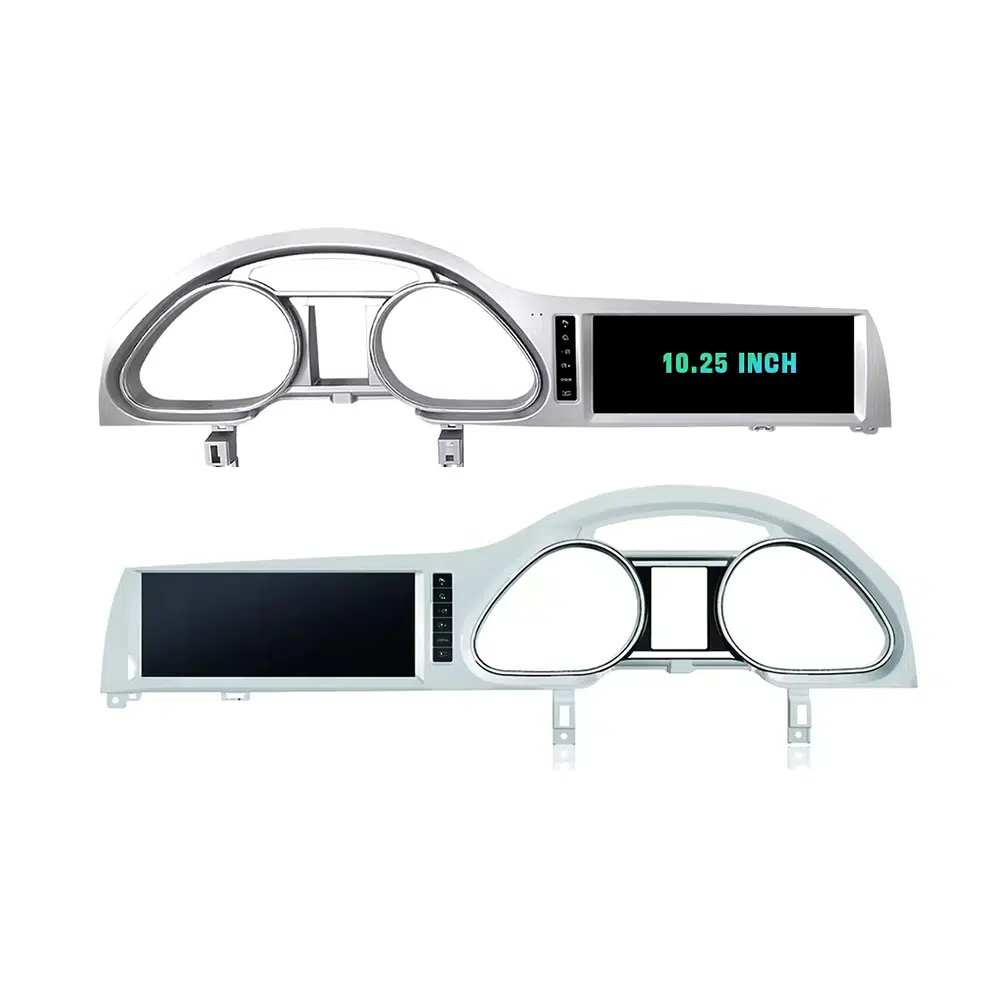
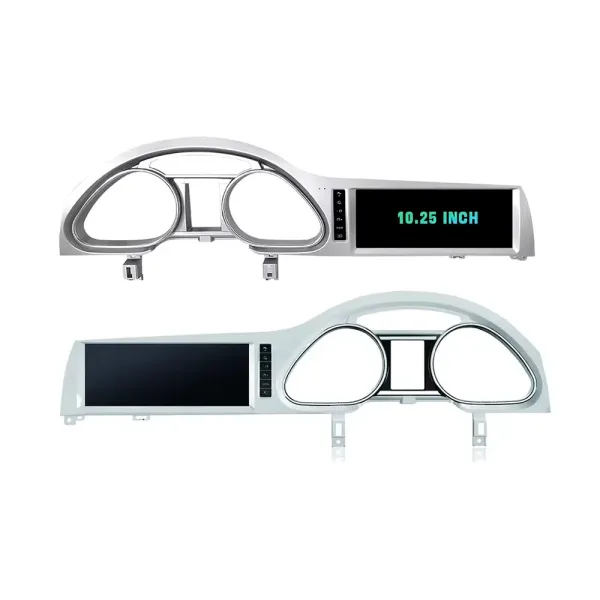
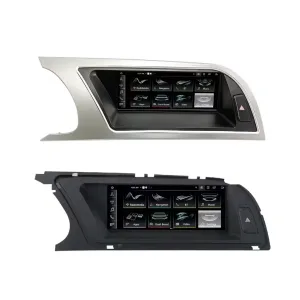
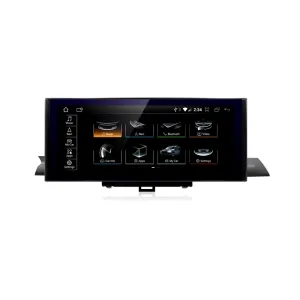
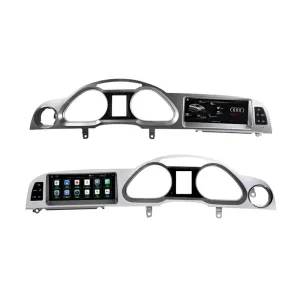
Confirm the 10.25-Inch Q7 Frame Shape

The product frame view helps you compare the left-hand and right-hand display routes before your installer removes the original dashboard parts.

Audi Q7 Android head unit 10.25 inch LHD RHD frame product view

Быстрый ответ

This iKAGOO upgrade is a vehicle-specific Audi Q7 Android head unit for selected Audi Q7 4L vehicles in the 2006–2015 range. It upgrades the original screen area with a 10.25-inch Android display route and adds wireless CarPlay, Android Auto, GPS navigation, Bluetooth, WiFi / 4G, DSP audio and app support where the selected hardware version supports these functions. It is not a universal Audi screen. The correct version depends on the dashboard frame, CD / MMI panel, LHD/RHD layout, original amplifier, MOST fiber-optic route, camera system and connector layout. Some 2010–2015 vehicles may need a fiber-optic decoder, especially when Bose or an external amplifier is used.

Why This Audi Q7 Android Head Unit Makes Sense

Modern Screen Without Ruining the Q7 Interior

The 10.25-inch display gives the first-generation Q7 a newer cockpit feel while staying inside the original dashboard structure.

Беспроводная система CarPlay и Android Auto

Use phone maps, calls, music, messages and voice assistant functions through a larger in-dash screen instead of relying only on the old MMI display.

MMI, Audio and Camera Matching

Q7 upgrades fail when audio, MMI or camera routes are guessed. This page puts Bose, MOST, MMI and decoder checks at the front.

Original Audi Functions Supported

Original System Retention

  • Supported original Audi menu access can be retained through the matched integration route.
  • Original steering-wheel controls can work through the matched CAN decoder where the vehicle configuration supports them.
  • Original parking information and original rear camera may be retained when the correct video interface or decoder is prepared.
  • Original speaker and amplifier output depends on the verified audio system and adapter requirement.

Android Daily-Use Functions

  • Wireless Apple CarPlay and Android Auto support phone maps, calls, music and supported app interfaces.
  • WiFi and optional 4G support online maps, app downloads and network-based functions where local service allows it.
  • Bluetooth, music, video, maps, messaging and phone-call functions are available on supported configurations.
  • DSP and equalizer functions are available where the selected motherboard and hardware version support them.

Confirm Your Audi Q7 4L Version Before We Prepare the Head Unit

Audi Q7 4L vehicles can use different dashboard frames, MMI panels, CD layouts, Bose amplifiers, MOST fiber-optic audio routes, camera systems and LHD/RHD interiors. iKAGOO checks your photos before shipment so the correct Audi Q7 Android head unit, frame, harness and decoder route can be prepared.

Подходит для

Audi Q7 4L 2006–2015

Made for selected Audi Q7 4L vehicles. Some 2005–2009 and 2010–2015 dashboard routes must be checked by photo before shipment.

MMI Panel

MMI / CD Panel Must Match

The original CD panel, card-slot layout and MMI control area decide the correct screen frame and system-switching route.

Audio Risk

Bose / MOST Fiber Optic Check

This is the key Q7 risk. Bose, external amplifier or MOST fiber optic may require a decoder to keep original speaker output working.

Layout

LHD / RHD + Camera Route

Left-hand-drive, right-hand-drive, original rear camera and 360 camera routes must be confirmed before the order is prepared.

Before shipment, send us: dashboard photo · original screen photo · CD/MMI panel photo · amplifier/Bose information · LHD/RHD · camera details

Help iKAGOO Prepare the Correct Version Before Shipment

Vehicle Information Needed

  • Exact vehicle year and market region.
  • Left-hand drive or right-hand drive.
  • Original dashboard and screen photo.
  • Original CD / MMI control-panel photo.
  • Factory amplifier information: Bose, external amplifier or standard audio.
  • Photo of original connectors if requested.
  • Whether the vehicle has MOST fiber optic, original rear camera or 360 camera.
  • Preferred hardware version: 2+32GB, 4+64GB or 8+256GB.

Why These Details Matter

These details help iKAGOO prepare the correct screen frame, Android unit, wiring harness, CAN decoder, audio adapter, fiber-optic decoder and camera route. They also reduce the risk of no sound, no original menu, wrong frame, wrong LHD/RHD layout or unsupported camera input after installation.

Bose, MOST Fiber Optic and Audio Decoder Warning

This is the most important technical risk on many Audi Q7 4L Android upgrades. If the car uses an external amplifier and MOST fiber-optic audio network, the screen may power on but the speakers may have no sound unless the correct decoder route is prepared.

When a Decoder May Be Needed

  • The vehicle uses Bose or an external factory amplifier.
  • An orange fiber-optic cable is present in the original audio system.
  • The original amplifier communicates through the MOST network.
  • The Android screen operates but the original speakers have no sound.
  • The compatibility review confirms a fiber-optic audio route.

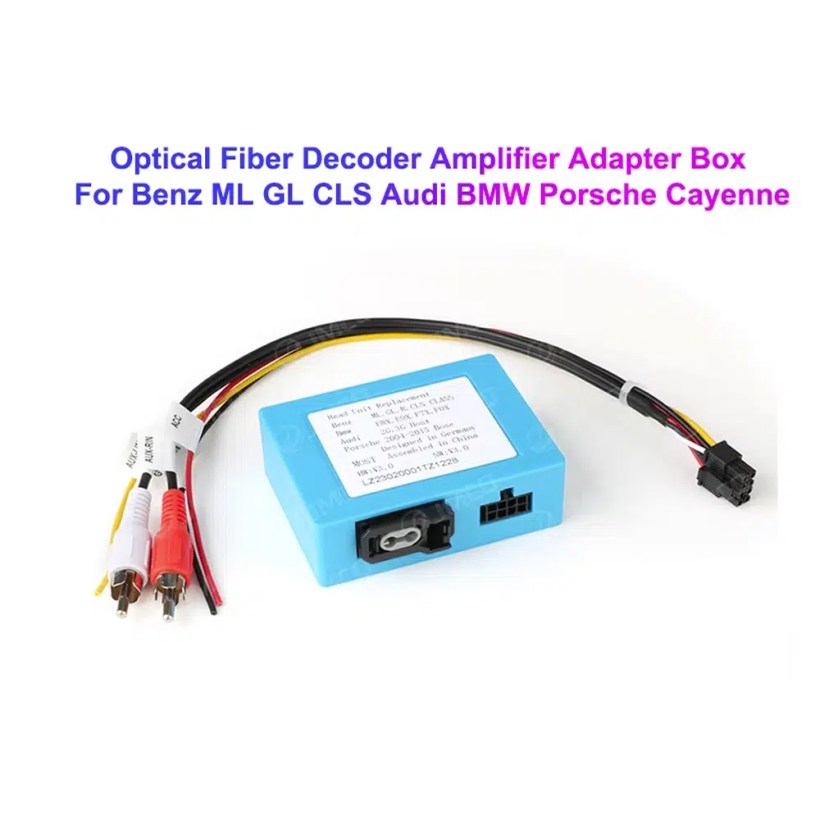
Decoder Example

This image shows the type of fiber-optic decoder commonly used in luxury vehicle audio integration. The required decoder must match the original Audi audio system and connector route.

Audi Q7 MOST optical fiber decoder amplifier adapter box

Key Product Specifications

Тип продуктаAudi Q7 Android head unit / Android stereo / Android screen upgrade.
Основная комплектацияAudi Q7 4L 2006–2015, subject to dashboard and system verification.
Размер экрана10.25 inch vehicle-specific display.
СистемаAndroid platform. Current page contains Android 13 attribute data and Android 16 description text, so final OS should follow the confirmed selected version.
MotherboardTSK / TSK8259 / TSK8667 according to selected hardware version.
Параметры памяти2GB+32GB / 4GB+64GB / 8GB+256GB routes shown in current variation.
ПРОЦЕССОР8-core CPU route according to selected motherboard.
Smartphone integrationWireless Apple CarPlay and Android Auto on supported firmware and compatible phones.
НавигацияGPS / Glonass navigation support with compatible online or offline map apps.
BluetoothBT 4.0 / BT 5.0 according to selected hardware route.
СетьWiFi / optional 4G support where selected hardware and local network conditions allow it.
АудиоDSP and equalizer functions where selected hardware supports them.
КамераRear camera AHD / CVBS and 360 camera routes require version and vehicle confirmation.
Package dataListed weight 3.5 kg; listed dimensions 85 × 35 × 25 cm.

Hardware Platform and Configuration Difference

G5 / TSK8259 Direction

Usually used for the basic hardware route. Current page information lists Android platform data, 8-core CPU route, Bluetooth 4.x direction and supported CarPlay / Android Auto depending on firmware and selected version.

  • 2GB + 32GB route on current variation.
  • Wireless CarPlay / Android Auto on supported firmware.
  • WiFi and optional compatible 4G where hardware supports it.
  • Camera and CAN integration must still match the vehicle.

G6 / TSK8667 Direction

Used for stronger hardware routes such as 4GB + 64GB and 8GB + 256GB options. Suitable for buyers who want smoother Android operation, better storage and stronger daily-use performance.

  • 4GB + 64GB or 8GB + 256GB route.
  • Bluetooth 5.0 direction where selected hardware supports it.
  • DSP support depends on selected hardware.
  • Recommended for long-term ownership and heavier app use.

The product title, variation name, checkout option and delivered hardware should use the same memory and motherboard specification. Do not combine specifications from different hardware versions.

Choose the Right Hardware Version

Основные

2 ГБ + 32 ГБ

Suitable for basic CarPlay, Android Auto, Bluetooth and navigation use. Choose this only if your expectations are simple and you do not plan heavy app use.

  • Basic app use
  • Lower cost route
  • Best for light daily use
Balanced

4 ГБ + 64 ГБ

A more balanced route for buyers who want better app switching, navigation and daily media use without jumping to the top version.

  • Better memory balance
  • Good daily usability
  • Recommended over basic version
Рекомендуется

8 ГБ + 256 ГБ

Recommended for buyers who want the strongest current option shown on the page, larger storage and better long-term Android usability.

  • Highest listed storage route
  • Better for multitasking
  • Best long-term choice
  • Confirm motherboard before shipment

iKAGOO Compatibility and Installation Process

STEP 01

Обзор автомобиля

Submit the year, dashboard photos, steering position and original audio-system details.

STEP 02

Соответствие конфигураций

iKAGOO checks the frame, harness, CAN decoder, amplifier and fiber-optic requirements.

STEP 03

Pre-Shipment Setup

The Android unit and matching accessories are prepared for the confirmed vehicle configuration.

STEP 04

Поддержка при установке

Guidance is available for wiring, configuration and supported-function testing.

Why Owners Choose iKAGOO

Подготовка конкретного транспортного средства

iKAGOO checks your Audi Q7 year, dashboard photos, MMI system, steering side and audio system before shipment so the correct version can be prepared.

MMI and Audio Matching

The correct CAN decoder, amplifier route and fiber-optic requirement matter more than buying a screen by size alone.

Original Function Integration

The upgrade is prepared to retain supported original menus, steering-wheel controls, original camera and vehicle information where the matched route allows it.

Защита заводской электропроводки

The matched harness route is designed to avoid unnecessary cutting of the original wiring when the vehicle and harness match.

Installation and Setup Support

If your installer needs help identifying the MMI type, fiber-optic route or function test result, iKAGOO can provide order-based support.

12-Month Гарантия на оборудование

Eligible hardware issues are handled under the iKAGOO 12-month limited warranty, with after-sales support for diagnosis and suitable solutions.

iKAGOO Purchase Assessment for This Audi Q7 Android Head Unit

Стоимость обновления

Необходимость обновления iKAGOO

89/100

Strong Upgrade Case. The first-generation Audi Q7 interior benefits clearly from a modern 10.25-inch Android screen, wireless smartphone integration, navigation and improved media usability.

  • Visible dashboard modernization
  • Беспроводная система CarPlay и Android Auto
  • Navigation, apps and DSP value
Based on the iKAGOO Upgrade Necessity Standard
Factory Retention

Совместимость с оригинальными автомобилями

84/100

Good compatibility route when the correct dashboard frame, MMI route, CAN decoder, amplifier adapter and fiber-optic requirement are verified before shipment.

A score of 84/100 does not mean that 16% of factory functions are lost. It means this product requires stricter checking because Audi Q7 4L audio and MMI configurations vary.

Based on the Factory Function Retention Standard
Install Level

Сложность установки

Уровень 3

Advanced DIY. Suitable for experienced DIY installers or an automotive electronics technician. Audi Q7 MMI, MOST fiber optic, amplifier and camera routes must be checked carefully before final reassembly.

Based on the Car Electronics Installation Difficulty Guide

Keep the Old MMI, Add a Box or Upgrade with iKAGOO?

Keep Original

Factory MMI Only

Best only if you are satisfied with the old screen size, old interface and limited smartphone integration.

  • No upgrade cost
  • Old interface remains
  • Limited app experience
Basic Add-On

CarPlay-Only Module

Useful if you only need phone projection, but it does not give the Q7 a new Android display or modern interface layout.

  • Limited visual change
  • No full Android system
  • Depends on original screen condition
Generic Screen

Universal Android Screen

May be cheaper, but Audi Q7 dashboard frame, MMI, Bose, MOST fiber and camera integration can become the real risk.

  • Fitment uncertainty
  • May look aftermarket
  • Higher audio risk
Рекомендуется

iKAGOO Audi Q7 Android Head Unit

Best for owners who want a vehicle-specific 10.25-inch screen, CarPlay, Android Auto, navigation, DSP and configuration review before shipment.

  • 10.25-inch Q7-specific frame
  • Wireless CP & AA
  • MMI system switching
  • Fiber-optic decoder check
  • Vehicle-specific preparation

Purchase Conclusion

If you want your Audi Q7 4L to feel modern without making the dashboard look cheap or creating MMI/audio problems, this iKAGOO Android head unit is the stronger route than a generic screen or a small add-on box.

Product Photos and What They Help You Decide

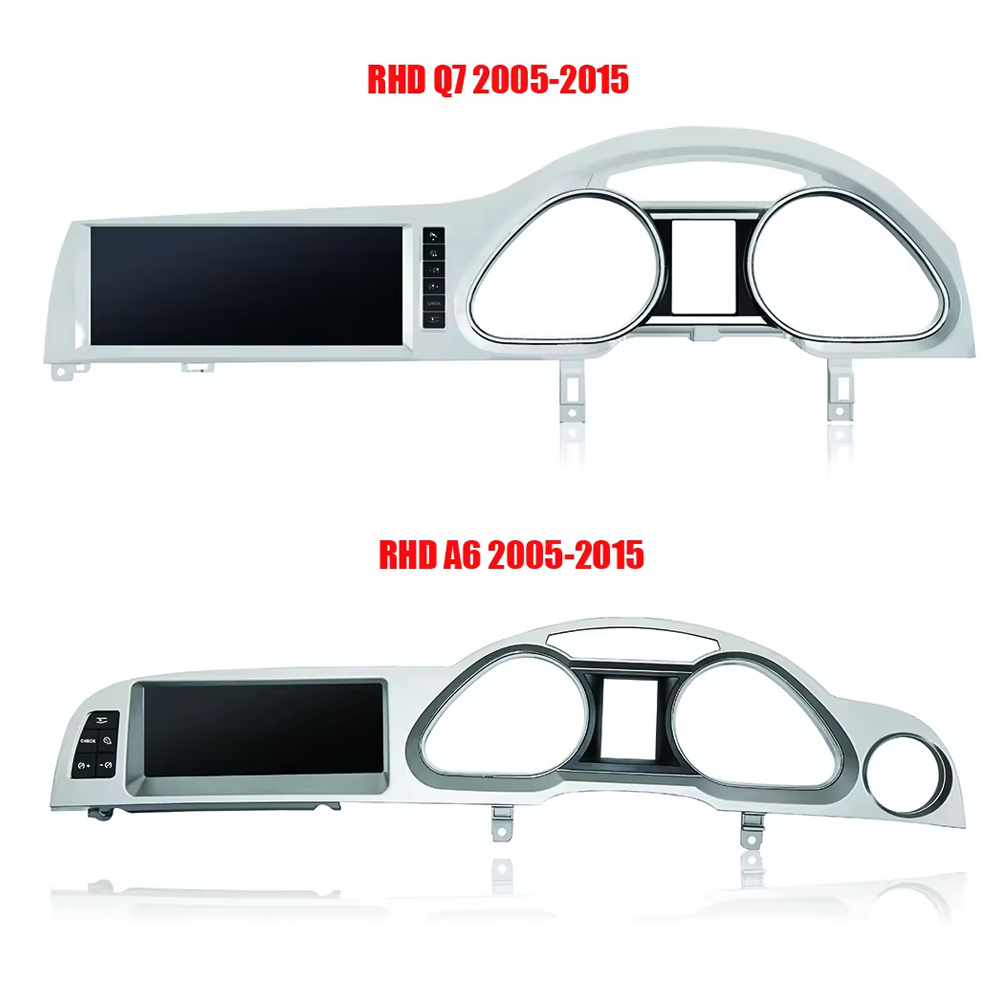
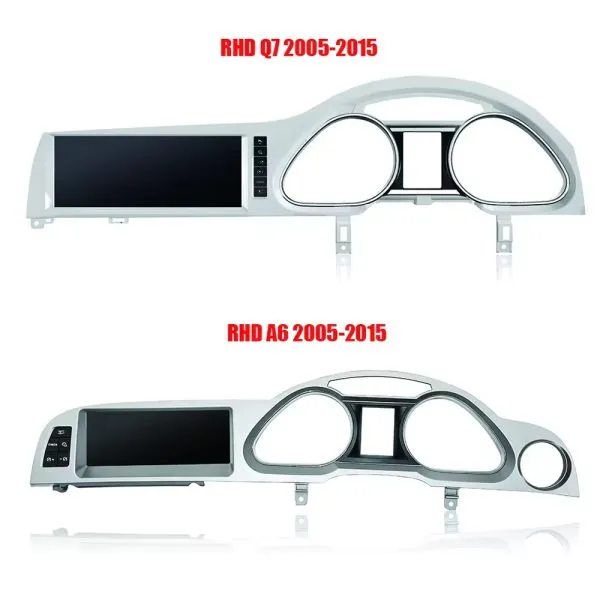
Confirm LHD and RHD Product Frame Routes

This image helps you understand that Q7 frame orientation matters. Do not order without confirming steering side and dashboard layout.

Audi Q7 Android head unit RHD and LHD frame route product comparison

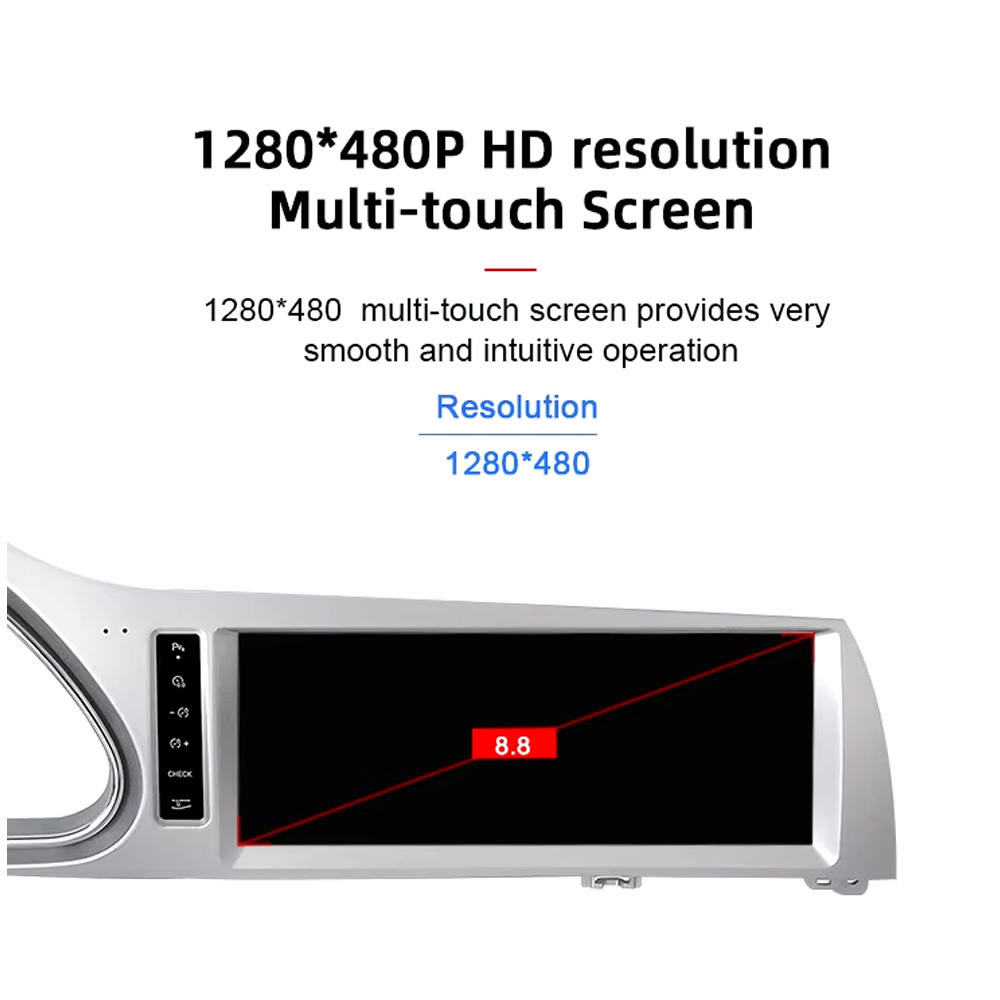
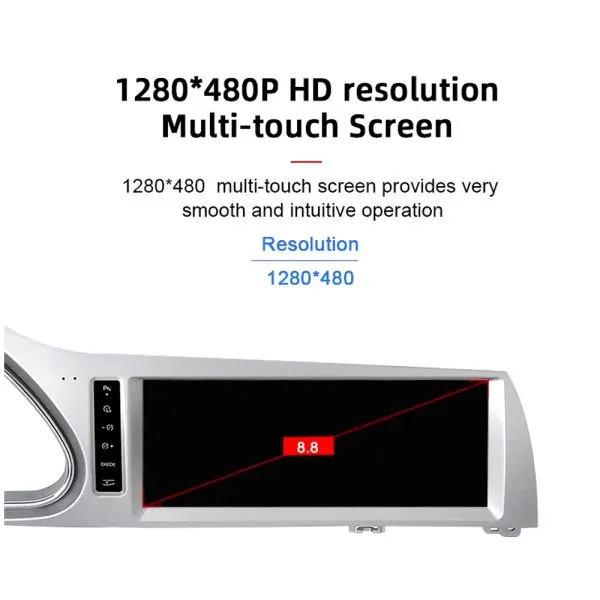
Understand the Screen Display Area

The screen reference explains the display route and reminds buyers that the confirmed order specification takes priority over general promotional images.

Audi Q7 Android head unit screen display area reference

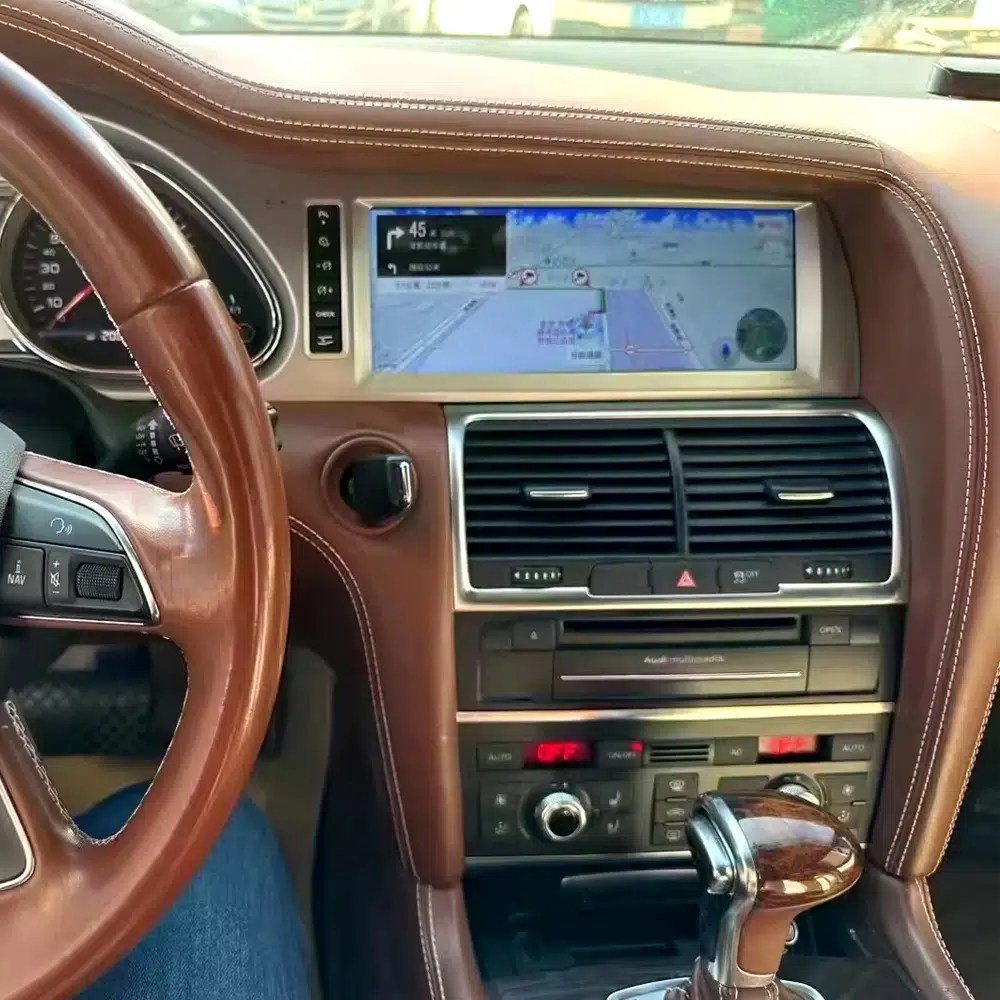
See Navigation Working in a Real Audi Q7 Interior

This installed navigation view helps you judge the screen position, driver visibility and how the display looks inside a used Q7 cabin.

Audi Q7 Android navigation screen installed in vehicle dashboard

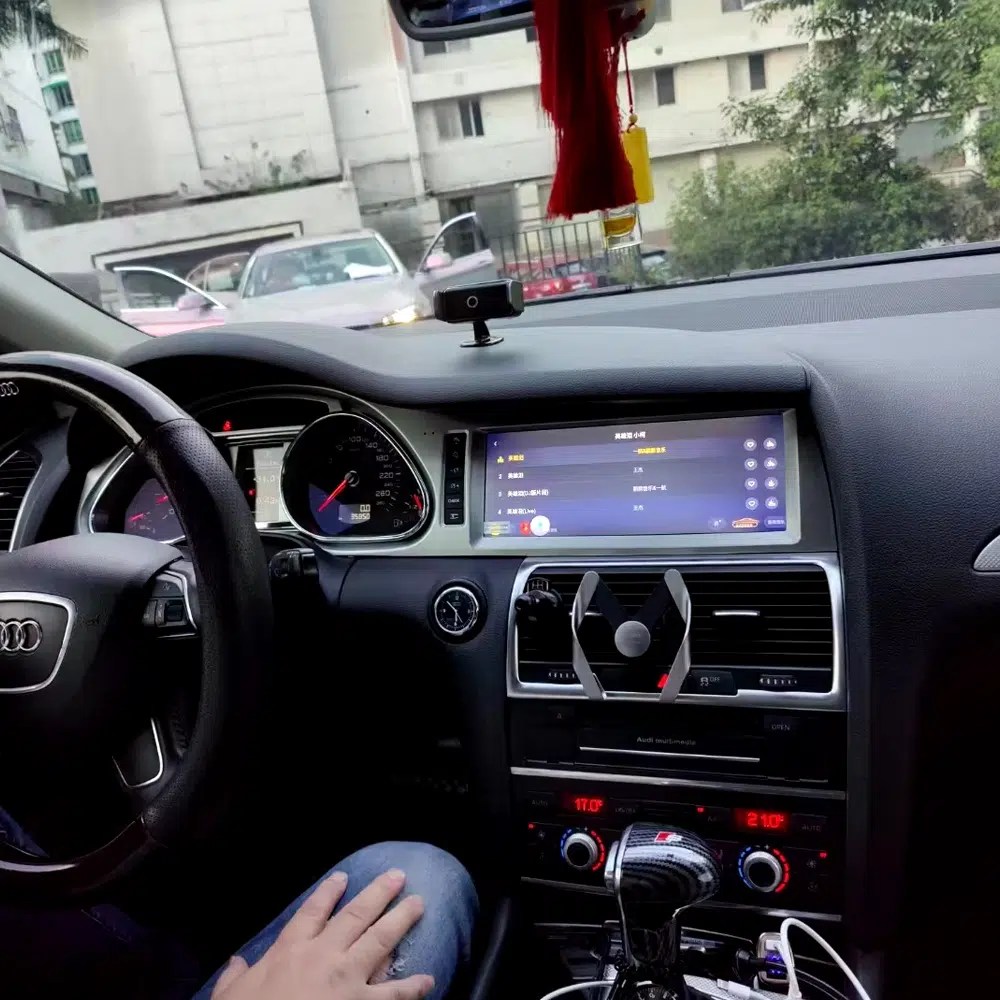
Review Another Real Installation Interface

This cabin photo gives another practical reference for screen angle, dashboard integration and menu readability after installation.

Audi Q7 Android head unit installed original dashboard interface view

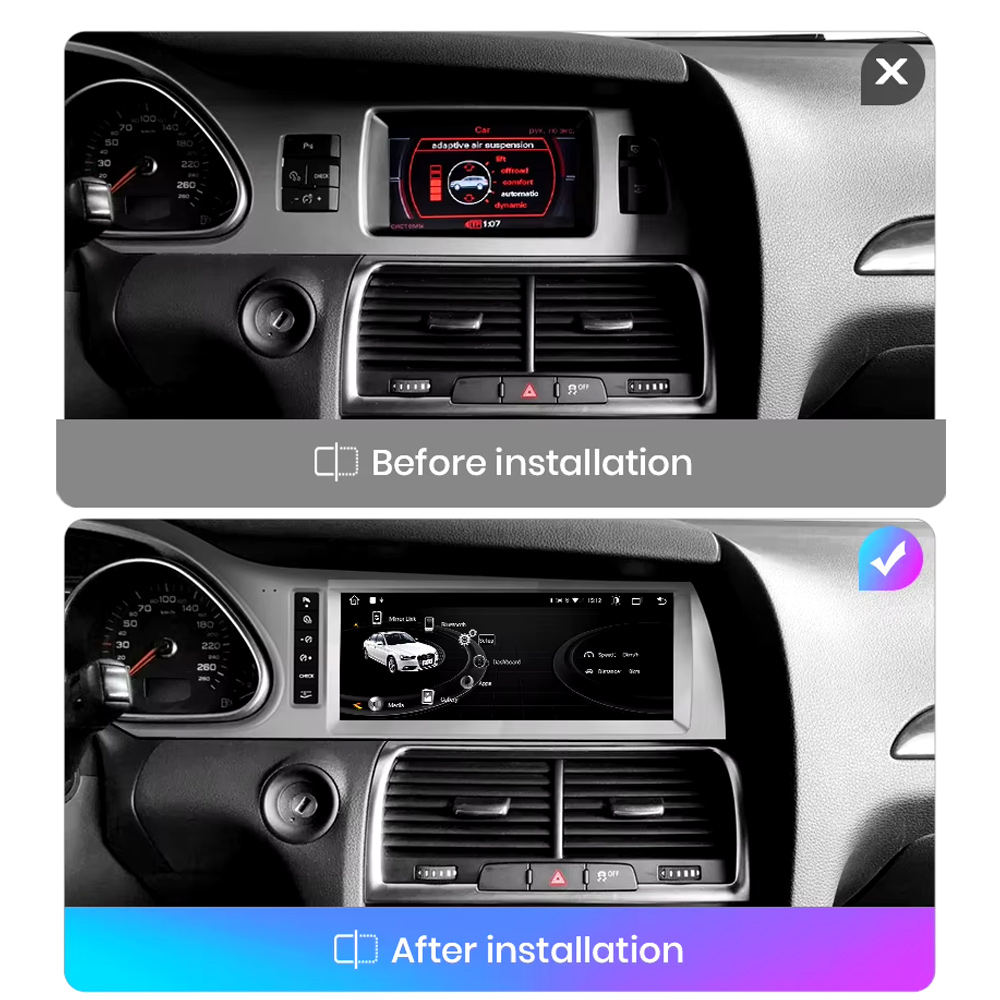
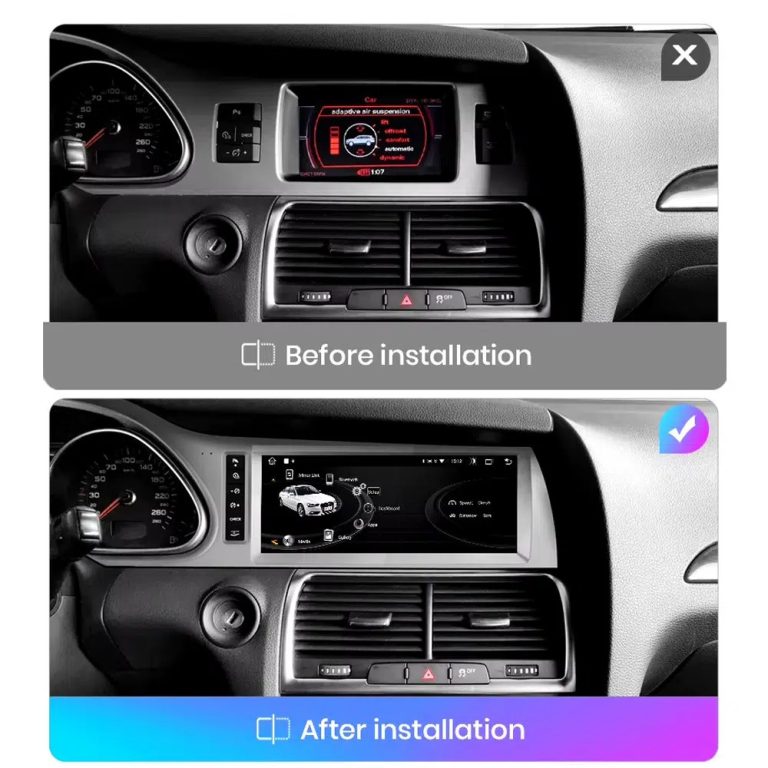
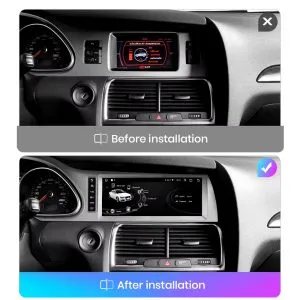
Compare the Old Screen Before and After the Upgrade

The before-and-after image shows the main visual upgrade: the old small screen area becomes a wider Android interface with a cleaner modern layout.

Audi Q7 original screen before and Android screen after installation comparison

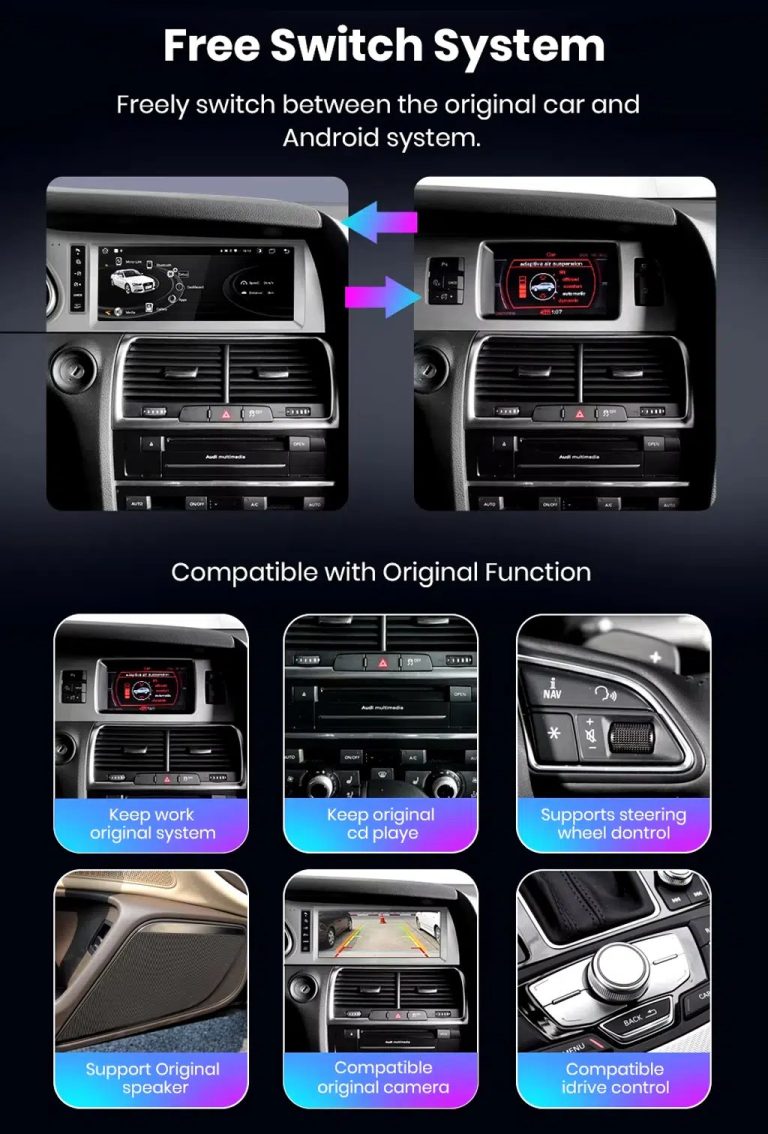
Switch Between Android and Original Audi System

Original-system switching is important for Q7 owners because it helps retain access to supported Audi menus while adding modern Android functions.

Audi Q7 Android system and original vehicle system switching functions

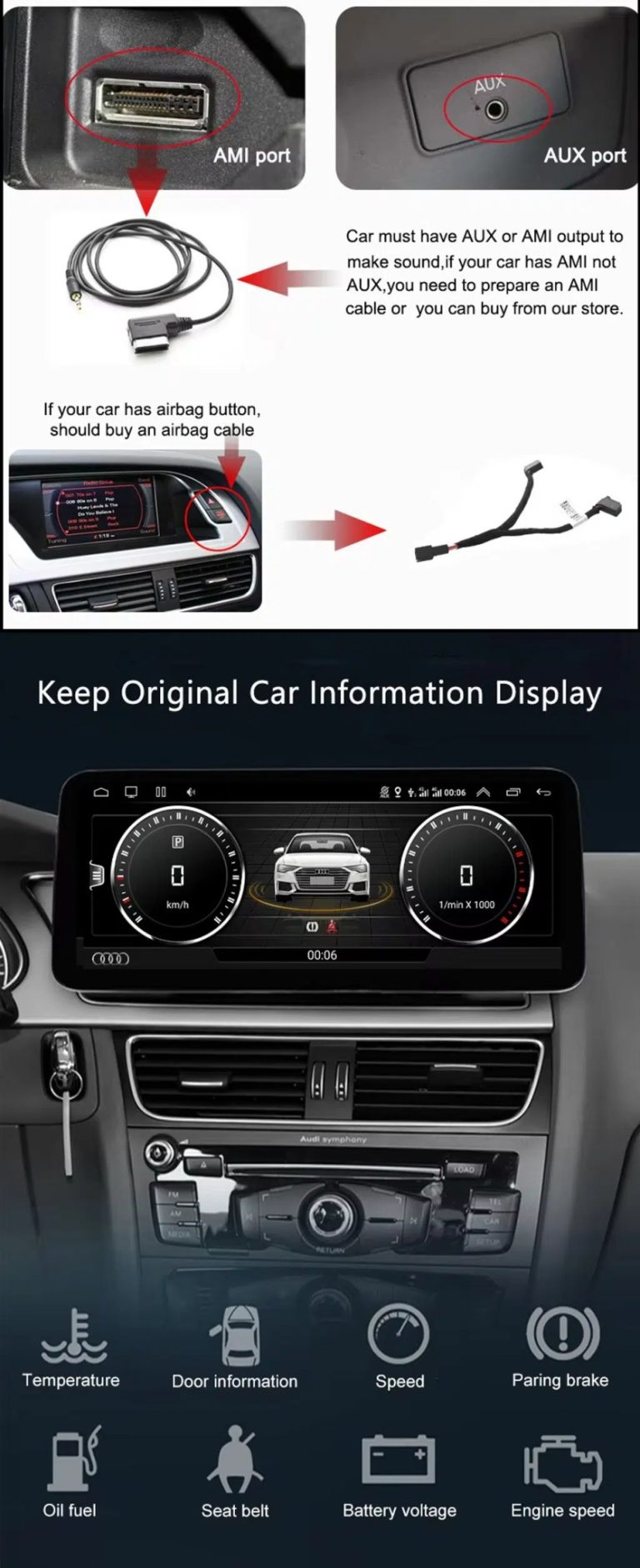
Check AUX, AMI and Original Vehicle Information

Some Audi Q7 configurations need the correct AUX, AMI or adapter route for sound and original data display. This should be checked before installation.

Audi Q7 Android head unit AUX AMI cable and original vehicle information display

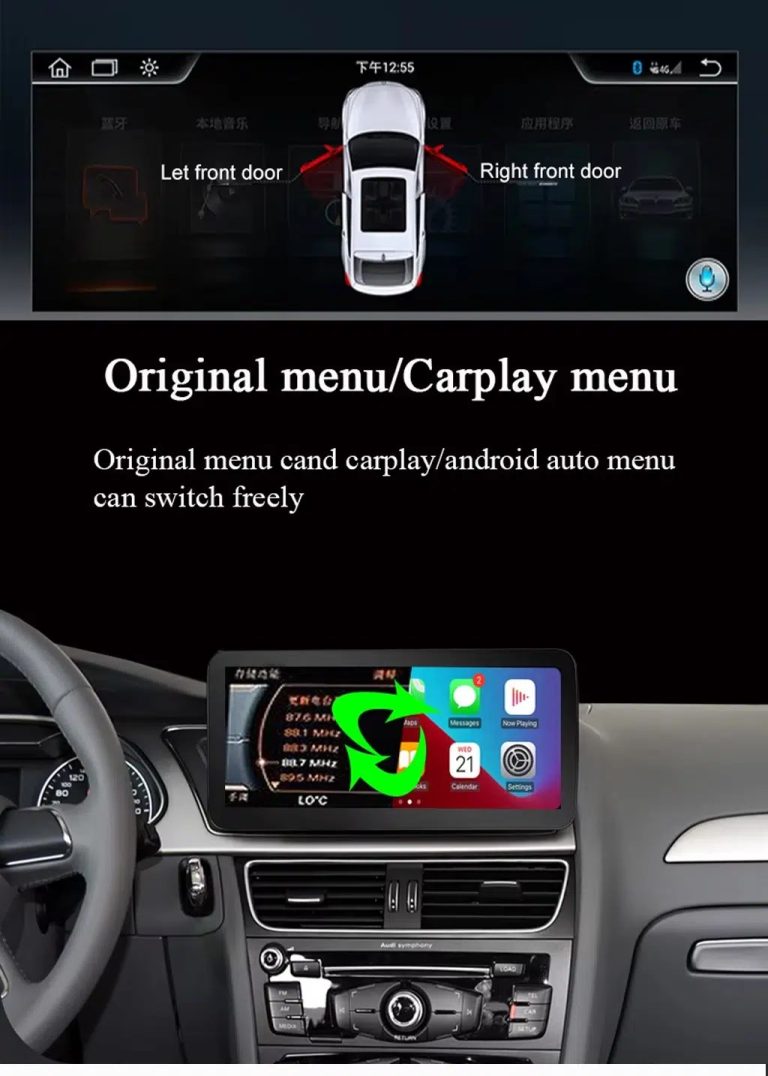
Use Original Menu and CarPlay Menu Switching

This visual explains how the owner can move between the supported original Audi interface and modern CarPlay / Android Auto style display.

Audi Q7 Android head unit original menu CarPlay menu switching

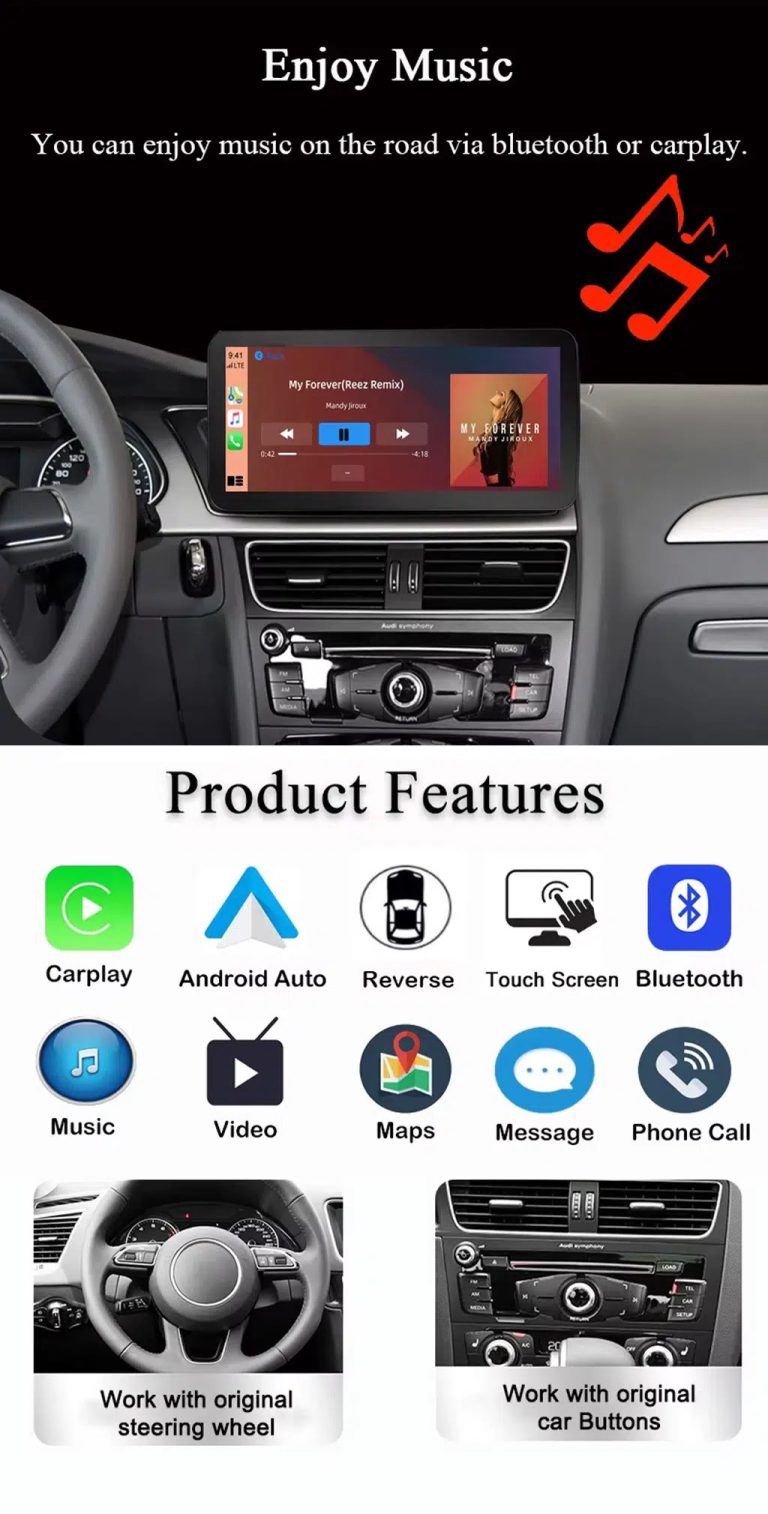
Use Music, Bluetooth, Maps and Steering-Wheel Controls

The function overview shows why the upgrade is useful every day: calls, music, maps, Bluetooth, touch operation and supported steering-wheel controls.

Audi Q7 Android head unit music Bluetooth maps CarPlay steering wheel features

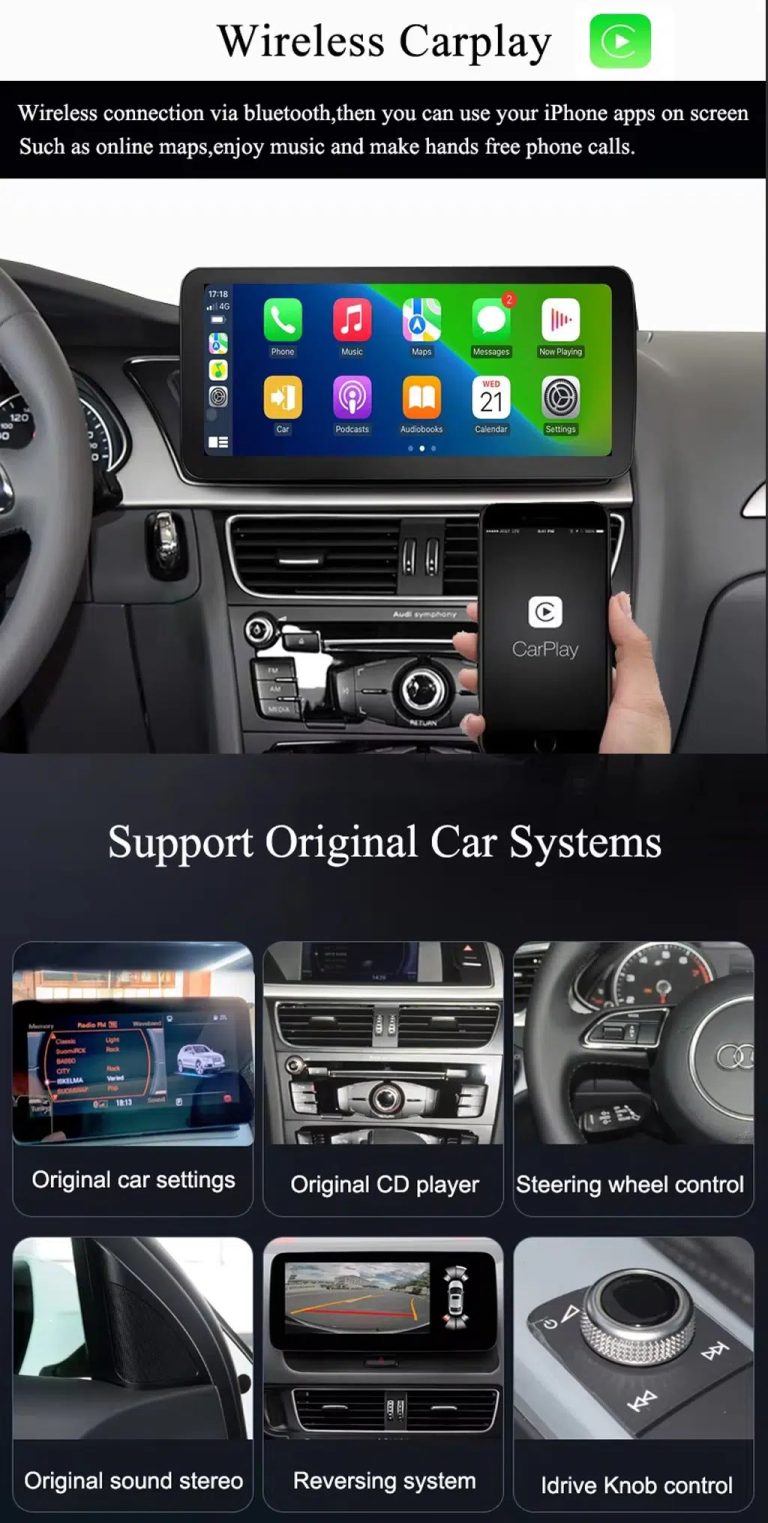
Show Wireless CarPlay and Original System Value Together

This image is useful because it combines wireless CarPlay with original car system retention, helping buyers understand that this upgrade is more than a simple screen swap.

Audi Q7 Android head unit wireless CarPlay and original system support

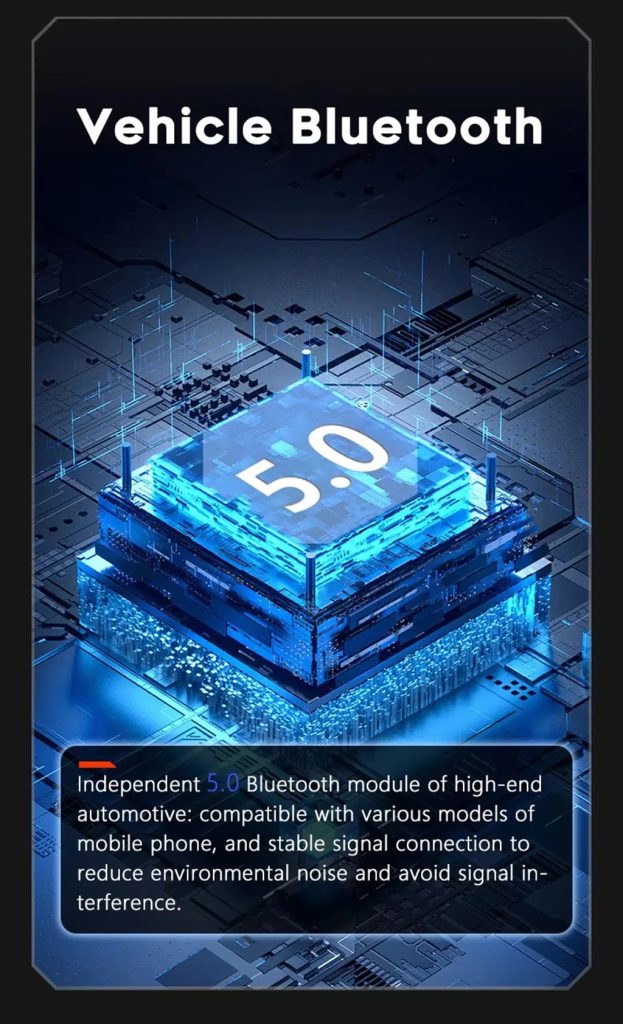
Improve Bluetooth Stability Where Supported

Bluetooth version depends on selected hardware, but the upgrade direction supports clearer phone and media connection than relying only on older factory behavior.

Audi Q7 Android head unit Bluetooth 5 feature reference

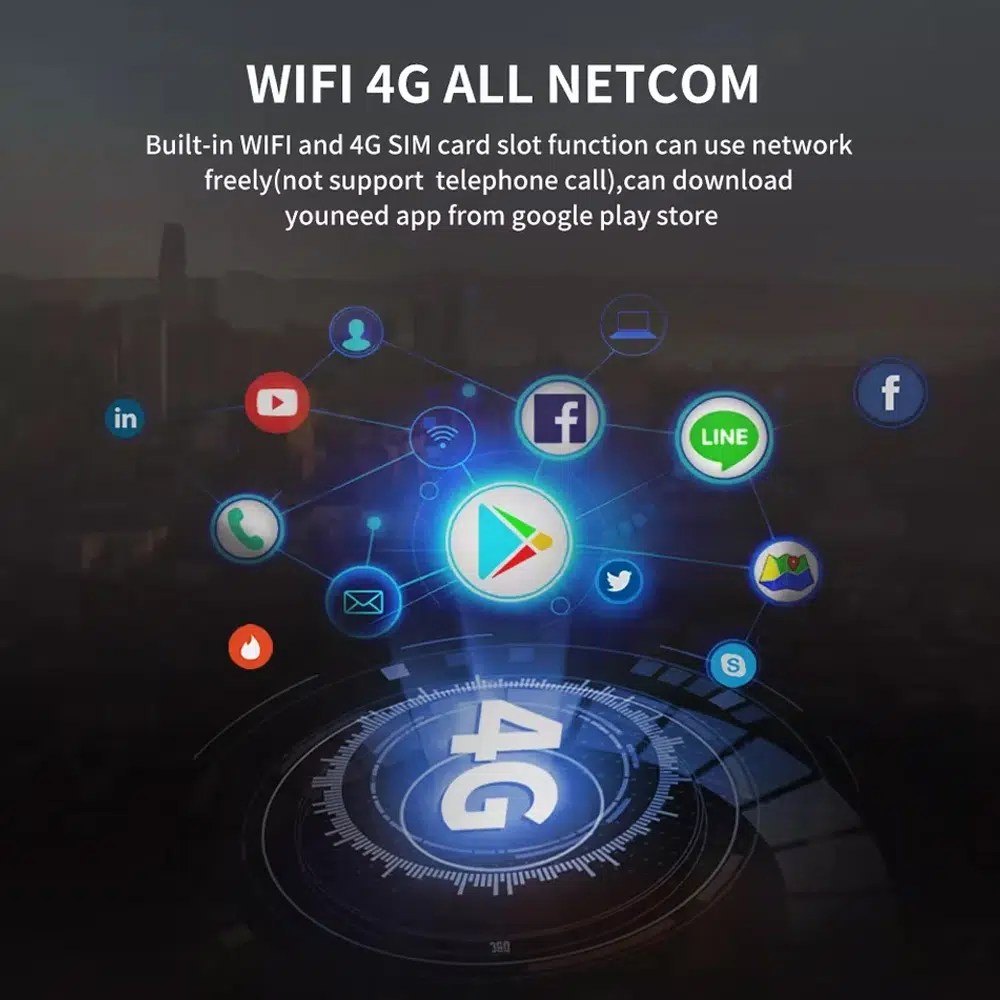
Use WiFi and 4G for Apps and Online Navigation

WiFi and compatible 4G support online maps, app downloads and connected Android functions where local network and selected hardware allow it.

Audi Q7 Android head unit WiFi 4G Google Play app connection

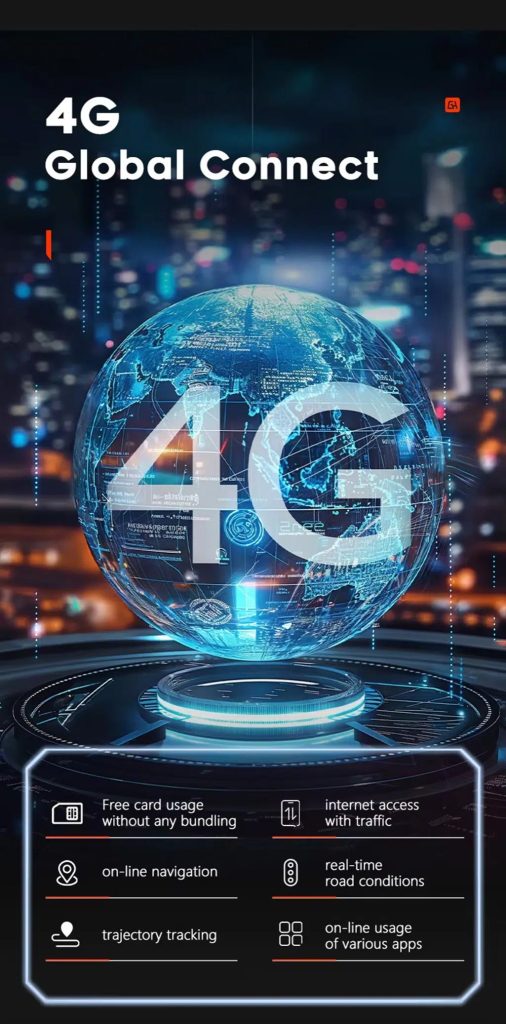
Use 4G Global Connect Where Available

This image supports the network-use value of the Android head unit: online navigation, traffic information and app access depend on active network service.

Audi Q7 Android head unit 4G global connect online navigation traffic apps

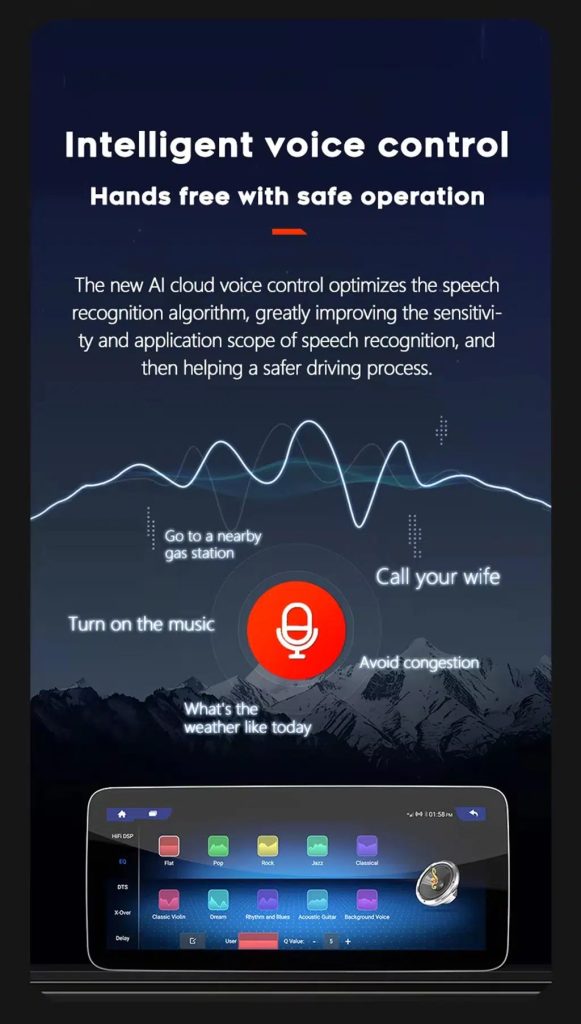
Use Voice Control With Compatible Apps

Voice control can make navigation, music and calls easier, but actual recognition depends on app, microphone, language, internet connection and phone compatibility.

Audi Q7 Android head unit intelligent voice control function

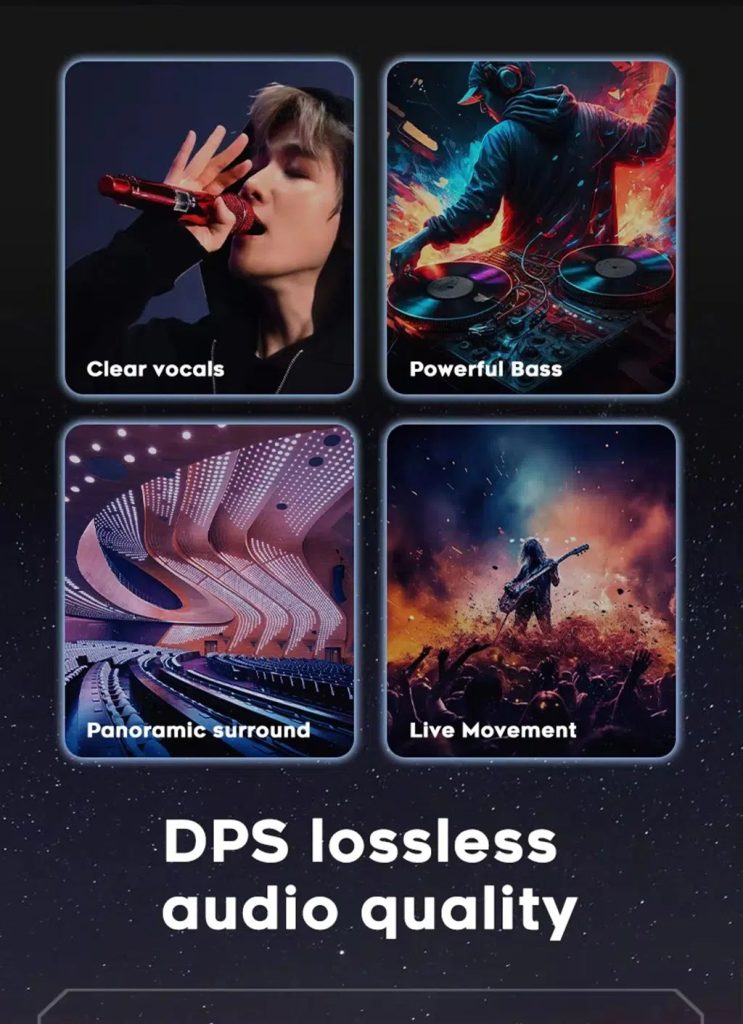
Improve Audio With DSP Where Supported

DSP helps tune vocals, bass, surround feeling and live-movement sound effects when the selected hardware version includes the supported DSP route.

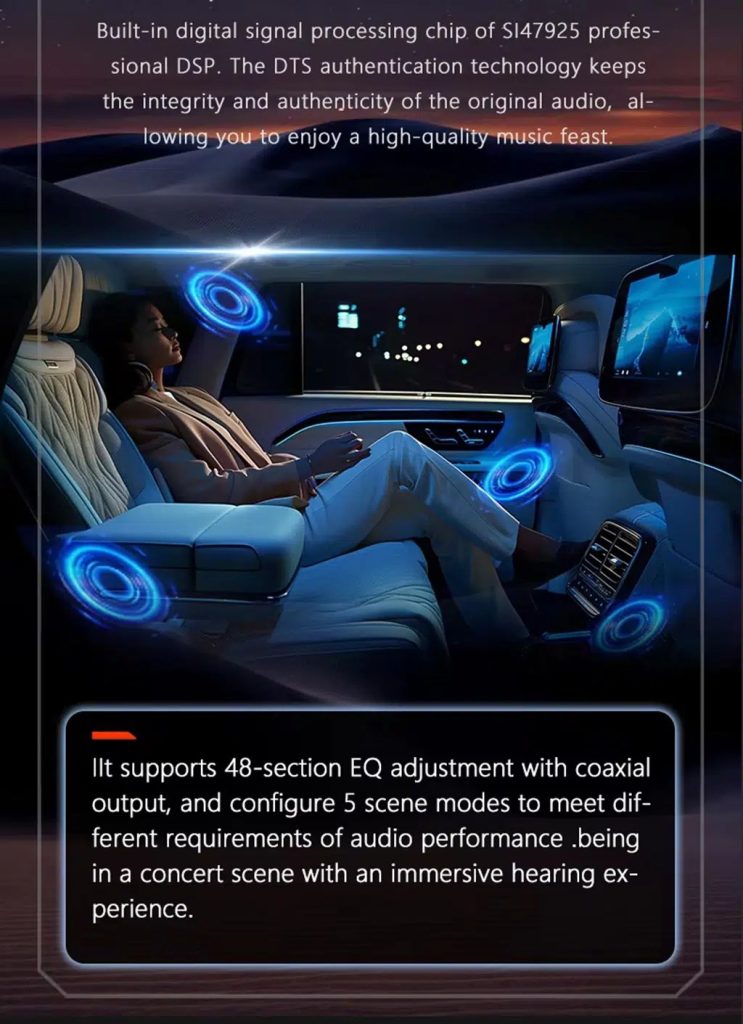
Audi Q7 Android head unit DSP lossless audio quality feature

Review Multimedia and DSP Function Reference

This additional media image supports the buyer’s understanding of the audio and entertainment function direction before choosing the hardware version.

Audi Q7 Android head unit DSP and multimedia function illustration

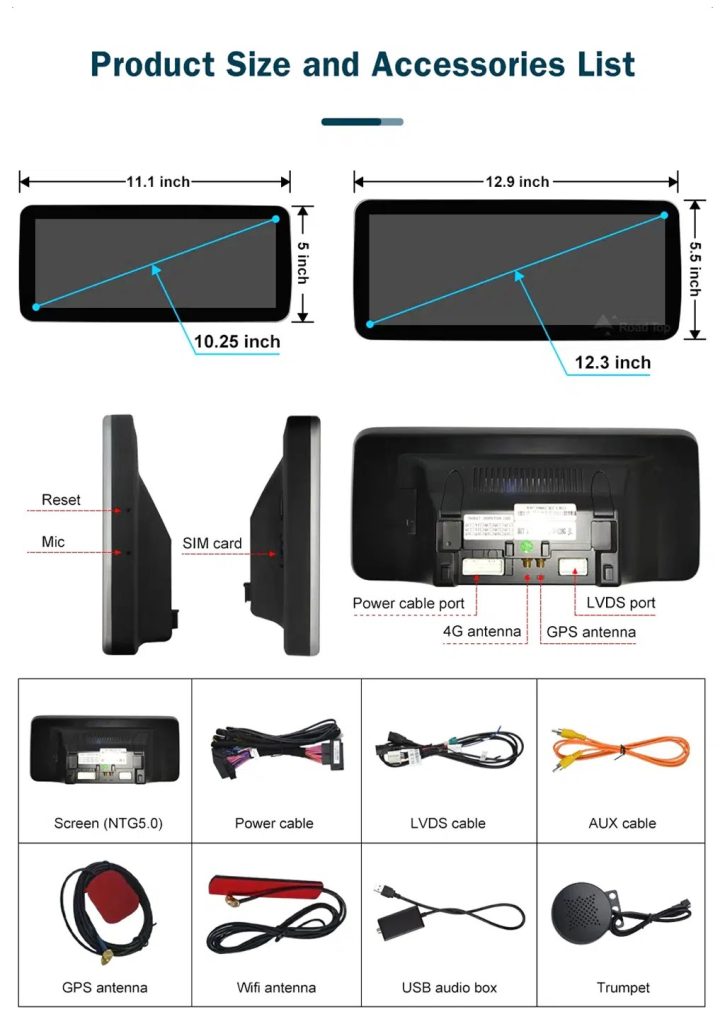
Check Product Size, Rear Ports and Accessories

This accessory image helps the installer understand screen size, rear connection area, LVDS, power cable, AUX cable, GPS antenna, WiFi antenna, USB audio box and other included parts.

Audi Q7 Android head unit product size ports and accessories list

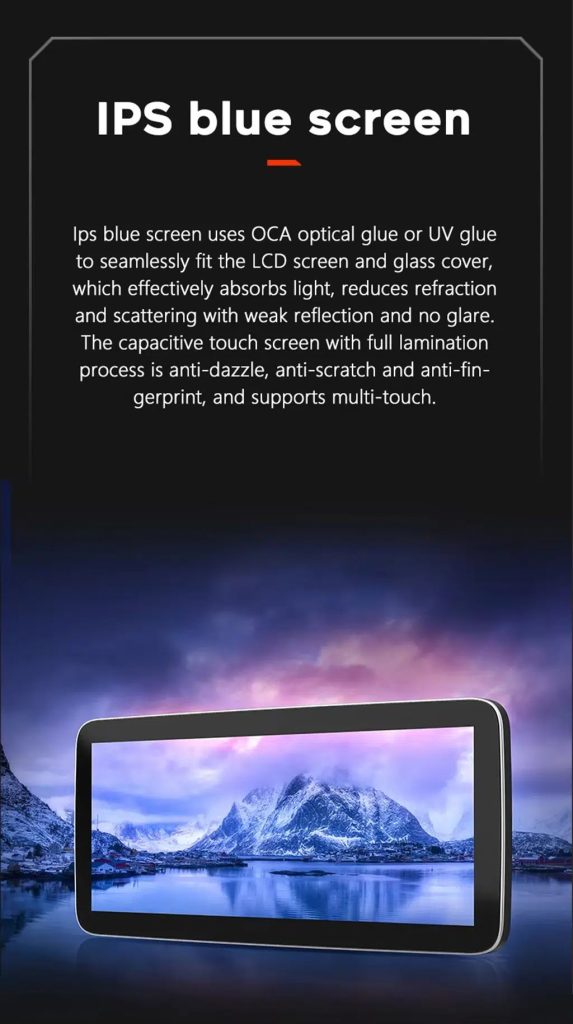
Understand the IPS Blue Screen Advantage

The IPS blue screen and capacitive touch direction helps the display feel clearer, smoother and more comfortable for daily dashboard use.

Audi Q7 Android head unit IPS blue screen capacitive touch display

Review the Product Gallery Before-and-After Reference

This gallery image gives another quick reference for the original Q7 display before installation and the wider Android interface after installation.

Audi Q7 Android head unit product gallery before after reference

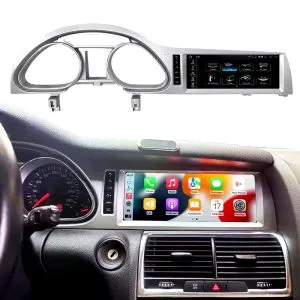
Confirm Another Installed Dashboard Angle

This gallery view shows the unit installed in the Q7 dashboard with a modern interface, helping buyers compare the final visual balance.

Audi Q7 Android head unit installed dashboard gallery reference

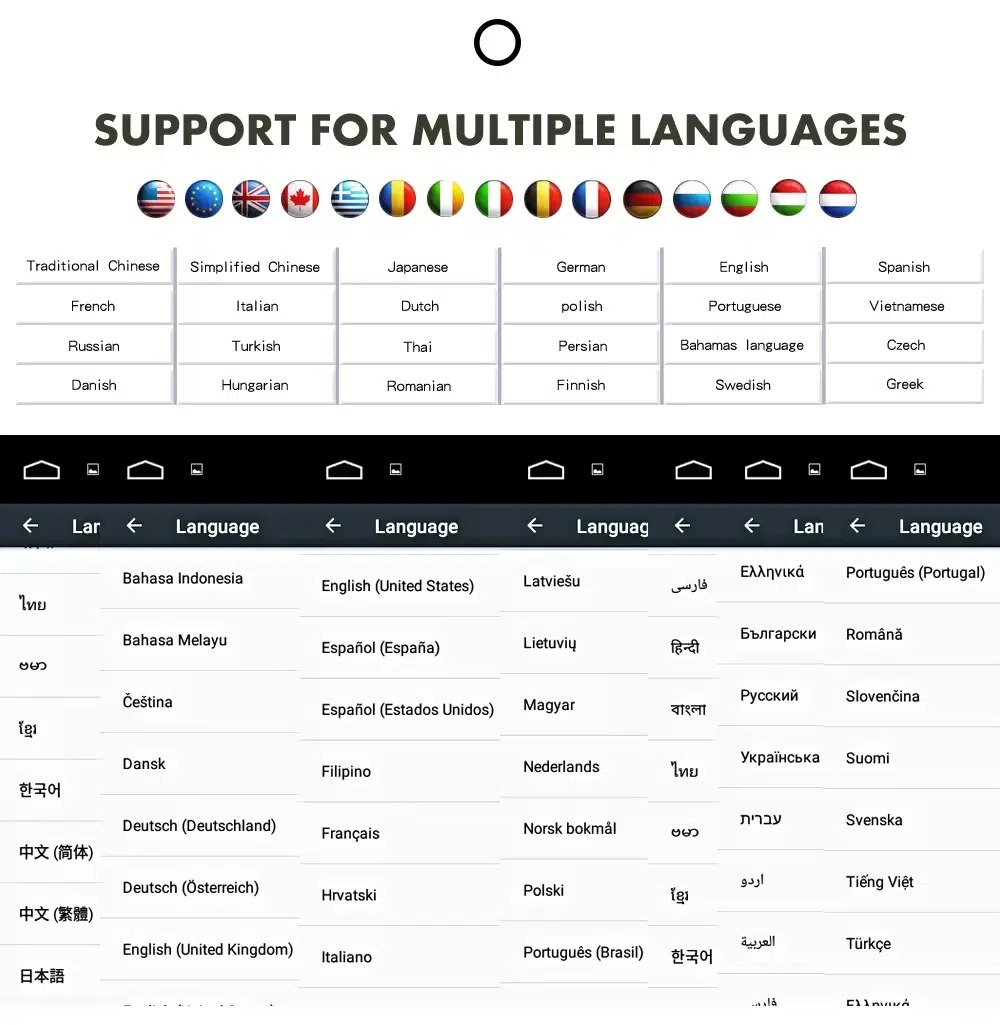
Confirm Multilingual Interface Support

Multiple language support helps international owners and installers use the Android interface in a familiar language. Final availability depends on firmware and app settings.

Audi Q7 Android head unit multiple language interface support
Английский языкDeutschФрансEspañolItalianoPortuguêsНидерландыРусскийالعربية日本語中文

Installation Route for the Audi Q7 Android Head Unit

Main Work Required

  • Confirm dashboard year route, CD panel, MMI system and steering side before shipment.
  • Check whether the car has Bose, external amplifier or MOST fiber optic.
  • Remove the original screen area and required dashboard trim carefully.
  • Connect the matched power harness, CAN decoder, LVDS/video route and audio adapter.
  • Install fiber-optic decoder when confirmed necessary.
  • Connect GPS, USB, camera, microphone and 4G/WiFi accessories according to selected configuration.
  • Power on before final reassembly.
  • Test original menu switching, CarPlay, Android Auto, audio, steering-wheel controls, cameras, Bluetooth, GPS and sleep/wake behavior.

Recommended Installer

This is Level 3 — Advanced DIY. It is suitable for experienced DIY installers or an automotive electronics technician familiar with Audi MMI, dashboard trim, CANBUS, factory amplifiers and MOST fiber-optic systems.

Do not treat “plug-and-play” as “no configuration.” A plug-and-play harness only works correctly when the vehicle system and required adapters are matched first.

What Is Normally Included

Android Display

Vehicle-specific display assembly with the selected Android hardware configuration.

Wiring Harness

Power, signal and integration wiring selected according to the confirmed vehicle.

CAN Decoder

Compatible decoder for supported steering controls and vehicle-information integration.

GPS Antenna

External GPS antenna for supported Android navigation functions.

USB Connections

USB extension inputs for compatible media, accessories and software updates.

Optional Adapters

Fiber-optic decoder, camera interface, AMI cable or other adapters when confirmed as necessary.

Package contents vary by selected version and confirmed vehicle configuration. The final order details should be checked before dispatch.

Stop Installation and Contact iKAGOO If This Happens

  • The screen frame does not match the dashboard opening.
  • The connector shape or pin layout clearly does not match the supplied harness.
  • The car has Bose / MOST fiber optic but no confirmed decoder route.
  • No sound comes from the speakers after power-on testing.
  • The original MMI menu cannot be accessed after connection.
  • A fiber-optic cable is bent sharply, crushed or left disconnected.
  • A connector pin is bent, loose or damaged.
  • A fuse blows repeatedly.
  • You smell abnormal heat, burning or smoke.
  • The installation would require cutting the main factory wiring harness.

Shipping, Warranty and After-Sales Support

Подготовка заказа

Normal order preparation is usually 1–3 business days after your vehicle configuration has been checked.

Отслеживание международных отправлений

International delivery is tracked. Estimated delivery time depends on destination, customs clearance and the shipping method selected at checkout.

12-Month Гарантия на оборудование

Eligible hardware issues are handled under the iKAGOO limited warranty. Damage from incorrect wiring, misuse, water ingress or unauthorized modification is not normally covered.

Vehicle-specific products require correct information before shipment. If iKAGOO confirmed compatibility before purchase, your information was accurate, and no reasonable installation solution is available after supported troubleshooting, the current published return and refund policy applies.

Audi Q7 Android Head Unit FAQ

Is this Audi Q7 Android head unit for every Q7 from 2006 to 2015?

No, not automatically. Compatibility depends on dashboard structure, CD/MMI panel, steering side, amplifier, MOST fiber optic, camera system and connector layout. Vehicle photos must be checked before shipment.

Does this product support 2005 Audi Q7?

Yes, some product routes show 2005–2009 compatibility, but the main product title uses 2006–2015. Send dashboard and CD panel photos before ordering if your vehicle is 2005 or market-year unclear.

Поддерживает ли он беспроводные технологии CarPlay и Android Auto?

Yes, supported configurations provide wireless Apple CarPlay and Android Auto for compatible smartphones. Connection behavior depends on the phone, firmware and selected hardware version.

Will the original Audi MMI menu still work?

Yes, supported original Audi menu access can be retained through the matched system-switching route, but the original MMI system and connector route must be confirmed first.

Will Bose or the factory amplifier still work?

Yes, it can work when the correct audio route is prepared. Some Bose, external amplifier or MOST fiber-optic systems may require a compatible decoder.

Does every Audi Q7 need a fiber optic box?

No, not every vehicle needs one. The requirement depends on the original amplifier and MOST fiber-optic audio configuration, not only the model year.

Can the original rear camera be retained?

Yes, retention may be possible with the correct video interface or decoder. The original camera format must be checked before ordering.

Does it work with LHD and RHD vehicles?

Yes, compatible routes may be available for both steering positions, but the frame and button orientation must be confirmed from dashboard photographs.

Установка осуществляется по принципу "plug-and-play"?

Yes, the matched harness is designed for clean connection, but installation is still Level 3 — Advanced DIY because Audi MMI, amplifier, MOST fiber optic, camera and CANBUS functions must be checked and tested carefully.

Что нужно отправить перед оформлением заказа?

Yes, send your vehicle year, LHD/RHD position, original dashboard photo, original screen photo, CD/MMI panel photo, amplifier details, connector photos if requested, and whether you need Bose/MOST, rear camera or 360 camera support.

Make Your Audi Q7 4L Feel Modern Again

Choose the Audi Q7 Android head unit if you want a 10.25-inch factory-style screen, wireless CarPlay, Android Auto, navigation, DSP audio and a configuration review for your Q7 dashboard, MMI and audio system.

Отзывы

Отзывов пока нет.

Будьте первым, кто оставит отзыв о “Audi Q7 Android Head Unit 2006–2015 10.25″ CarPlay”

Your email address will not be published. Required fields are marked

Чтобы добавить фотографии к отзыву, вам нужно войти в систему.

Доставка, гарантия, возврат товаров и служба поддержки клиентов iKAGOO
Служба поддержки клиентов iKAGOO

Доставка, гарантия и возврат товаров

Четкая информация об обработке заказов, международной доставке, товарах для конкретных моделей автомобилей, гарантийном обслуживании, возврате товаров и поврежденных посылках.

Обработка заказа Обычно за 1–3 рабочих дня до отправки.
Международная доставка Обычно 5–20 рабочих дней с момента отправки, в зависимости от пункта назначения.
Гарантия на оборудование 12-месячная ограниченная гарантия на соответствующие производственные дефекты.
Поддержка конкретных моделей автомобилей Предоставляется помощь по вопросам совместимости, подключения и настройки.

Часто задаваемые вопросы

В этих ответах представлено краткое практическое изложение. Полные тексты правил, ссылки на которые приведены ниже, применяются ко всем заказам.

01

Откуда отправляются заказы и сколько времени занимает доставка?

Большинство заказов iKAGOO отправляются с нашего склада в Китае после проверки конфигурации товара и данных об автомобиле. Обычно обработка заказа занимает примерно 1–3 рабочих дней.

Ориентировочные сроки доставки после отправки:

  • США и Канада: примерно 5–9 рабочих дней
  • Европейский союз: примерно 7–15 рабочих дней
  • Великобритания и Австралия: примерно 7–10 рабочих дней
  • Другие поддерживаемые регионы: примерно 7–20 рабочих дней

На сроки доставки могут повлиять таможенное оформление, местные праздники, доставка в отдаленные районы, погодные условия или задержки со стороны перевозчика.

02

Придется ли мне платить импортный налог, НДС или таможенные сборы?

Стандартная международная доставка, как правило, не включает НДС страны назначения, импортные пошлины, брокерские сборы и сборы за таможенное оформление.

Для пунктов назначения в Европейском союзе, соответствующих установленным критериям, предлагается Услуга доставки DDP могут взиматься. Сборы, связанные с импортом, включаются в стоимость только в том случае, если при оформлении заказа выбран вариант DDP или это подтверждено компанией iKAGOO в письменной форме до отправки товара.

Если опция DDP не выбрана, получатель несет ответственность за любые сборы, взимаемые местными таможенными органами или транспортной компанией, осуществляющей доставку.

03

Могу ли я заказать экспресс-доставку?

Для некоторых товаров и направлений может быть доступна экспресс-доставка. Информация о доступности, перевозчике и дополнительных расходах подтверждается до отправки.

В зависимости от пункта назначения и типа товара компания iKAGOO может прибегать к услугам таких перевозчиков, как DHL, FedEx, UPS, EMS, 4PX или других логистических компаний, обеспечивающих отслеживание посылок.

04

Как я могу отследить свой груз?

После отправки заказа номер отслеживания или ссылка для отслеживания обычно отправляются на адрес электронной почты, указанный при оформлении заказа.

Отображение обновлений о местонахождении посылки может занять несколько рабочих дней, пока посылка передается от одного международного перевозчика другому.

05

Какова политика iKAGOO в отношении возврата товаров и возмещения средств?

Возможность возврата зависит от причины возврата, состояния товара, статуса установки, предоставленных доказательств, а также от того, был ли возврат одобрен компанией iKAGOO.

В случае возврата товара без дефектов он, как правило, должен быть неиспользованным, не установленным, полнокомплектным и пригодным для повторной продажи. Как правило, расходы на доставку при возврате товара, одобренного к возврату, несет покупатель.

Первоначальные расходы на доставку, расходы по условиям DDP, НДС, таможенные пошлины и прочие логистические расходы, как правило, не подлежат возмещению, за исключением случаев, предусмотренных действующим законодательством или подтвержденных компанией iKAGOO.

Не отправляйте товар обратно, не получив подтвержденный обратный адрес и инструкции по возврату от iKAGOO.

06

Что делать, если iKAGOO подтвердило совместимость, но продукт не удается установить?

Дополнительная гарантия может действовать в том случае, если компания iKAGOO подтвердила совместимость до покупки, покупатель предоставил точные сведения об автомобиле и содействовал выполнению разумных мер по установке и диагностике.

Если компания iKAGOO подтвердит, что разумного технического решения не существует, и о проблеме будет сообщено в течение через 7 календарных дней после доставки, , заказчик может иметь право на возмещение стоимости товара без необходимости его возврата.

Стоимость первоначальной доставки, условия DDP, НДС, таможенные пошлины и прочие сборы третьих сторон не включены в сумму возмещения стоимости данного товара.

07

Какую гарантию предоставляет компания iKAGOO?

К продуктам iKAGOO, на которые распространяется данная акция, относятся: 12-месячная ограниченная гарантия на аппаратное обеспечение покрытие подтвержденных производственных дефектов и соответствующих положений гарантии отказов оборудования при нормальном использовании.

В зависимости от характера проблемы решение может включать удаленную диагностику, помощь в настройке, поставку запасных частей, ремонт, замену товара, частичный возврат средств или полный возврат средств.

Гарантия, как правило, не распространяется на повреждения, вызванные неправильным подключением, несанкционированными модификациями, случайными повреждениями, попаданием воды, ударами, ненадлежащим использованием, неправильным напряжением, ошибками при установке или несовместимым оборудованием сторонних производителей.

08

Приводит ли вскрытие упаковки к автоматической аннулированию гарантии?

Проверка или экспертиза, проводимая третьей стороной, не приводит к автоматической отмене всей гарантии. Однако гарантия не распространяется на повреждения, вызванные несанкционированным ремонтом, заменой компонентов, неправильной модификацией, обрывом цепей или ненадлежащей повторной сборкой.

Перед разборкой или ремонтом изделия обратитесь в компанию iKAGOO, чтобы вам могли предоставить правильную процедуру диагностики.

09

Что делать, если мой заказ пришел поврежденным или в нем отсутствуют какие-то детали?

Свяжитесь с iKAGOO в течение через 7 календарных дней после доставки и сохраните оригинальную упаковку, транспортную накладную, комплектующие и сам товар.

Пожалуйста, предоставьте четкие фотографии или видео, на которых видно:

  • Внешняя транспортная коробка и транспортная этикетка
  • Любые видимые повреждения упаковки
  • Продукт и пораженный участок
  • Все полученные комплектующие и кабели

После проверки компания iKAGOO может организовать отправку недостающих деталей, замену, ремонт, возврат денежных средств или предложить другое разумное решение с учетом конкретного случая.

10

Что делать, если я заказал не тот товар?

Перед установкой или использованием продукта обратитесь в компанию iKAGOO. Обмен или возврат могут быть разрешены, если продукт не использовался, не был установлен, находится в полной комплектации и пригоден для повторной продажи.

Как правило, расходы на доставку и любая разница в цене ложатся на клиентов, если был выбран неверный товар, модель автомобиля, год выпуска или заводская комплектация.

Бесплатная предоплаченная этикетка для обратной отправки не предоставляется автоматически.

11

Могу ли я изменить или отменить свой заказ после оплаты?

Свяжитесь с iKAGOO как можно скорее, желательно в течение Через 12 часов после оформления заказа, при запросе адреса, конфигурации автомобиля или замены товара.

Изменение или отмена не вступают в силу до тех пор, пока они не будут подтверждены компанией iKAGOO. Продукты, предназначенные для конкретных моделей автомобилей, могут быть переданы на этапы закупки, программирования, тестирования, настройки или индивидуальной подготовки вскоре после оплаты.

После начала подготовки или отгрузки отмена заказа может оказаться невозможной, или из суммы заказа могут быть вычтены разумные расходы, уже понесенные в связи с этим.

12

Что входит в комплект?

Комплектация зависит от продукта, модели автомобиля, заводской системы и выбранной конфигурации.

В зависимости от модели в комплект поставки могут входить основное устройство, специальные для данного автомобиля жгуты проводов, интерфейс CANBUS, адаптеры, USB-кабели, антенны, микрофоны, крепежные детали и другие аксессуары для установки.

Точный перечень входящих в комплект компонентов см. на соответствующей странице продукта, на фотографиях упаковки и в подтверждении заказа.

13

Как связаться со службой поддержки iKAGOO?

Вы можете связаться с iKAGOO через контактную форму, по электронной почте, через WhatsApp или с помощью доступных каналов поддержки на сайте. Обычное время ответа составляет 24 рабочих часа.

Для более оперативной технической поддержки укажите номер заказа, модель и год выпуска автомобиля, фотографии заводской системы, фотографии продукта, а также предоставьте четкое видео, на котором видна проблема.

Посетите: iKAGOO: контакты и поддержка

14

Безопасна ли оплата и предусмотрены ли варианты рассрочки?

Платежи обрабатываются с использованием безопасных способов оплаты, отображаемых на этапе оформления заказа. Доступные варианты оплаты с помощью карт, электронных кошельков и в рассрочку могут варьироваться в зависимости от страны, валюты, платежного провайдера и соответствия клиента установленным требованиям.

Любая услуга рассрочки, включая варианты, предлагаемые PayPal или другим поставщиком, зависит от региональной доступности данной услуги и правил одобрения, установленных этим поставщиком.


Ознакомьтесь с полным текстом правил iKAGOO

Перед оформлением заказа ознакомьтесь с полным текстом правил, особенно в части продуктов, предназначенных для конкретных моделей автомобилей, порядка уплаты международных налогов и возврата товаров в связи с установкой.
Данный раздел «Часто задаваемые вопросы» представляет собой упрощённое руководство для клиентов. В случае расхождений в формулировках приоритет имеют полные тексты опубликованных правил, подтверждение заказа и действующее законодательство о защите прав потребителей.

Audi Q7 Android головное устройство 2006-2015 Audi Q7 Android Head Unit 2006...

От: $325.00

Выберите параметры